
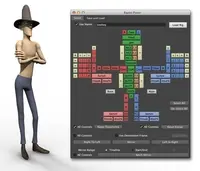
"Rapid Rig: Modular" - Procedural Auto Rig 2.4.8 for Maya (maya script)
"Rapid Rig: Modular" frees you from the confines of bipedal autorigs! So get creative!
Bugs
Pinned Modules cause issues with saved setups (v1.4.7)
| Status | closed |
|---|---|
| Priority | medium |
| Date | 09/15/2014 |
| Submitted by |
 Eriks Vitolins |
| Modify this bug | edit |
Hi there. I've noticed that pinning modules causes saved setups to load incorrectly.
Looking internally at the setup files, there is no "pinned" status saved, which seems to be the root of the issue.
Suggested Possible solutions:
Looking internally at the setup files, there is no "pinned" status saved, which seems to be the root of the issue.
Suggested Possible solutions:
- All pinned modlues are unpinned prior to "Save Setup" (my current workflow, not ideal)
- Pinned status is saved in setup files (more ideal)



Comments on this bug:
Dustin Nelson said about 12 years ago:
Eriks Vitolins said about 12 years ago:
Eriks Vitolins said about 12 years ago:
Dustin Nelson said about 12 years ago: