maya2nuke v2.0.1
Now! Geometry can be exported. Usage is as simple as ever.
Features:
- Export Geometry
- Export Camera
- Auto Export texture
- Animation switch
- Save as ". Nk" file
- Improved interface
- Smart Filter
Workflow:
1. Copy maya2nuke.py to "My Documents\maya\20XX\scripts"
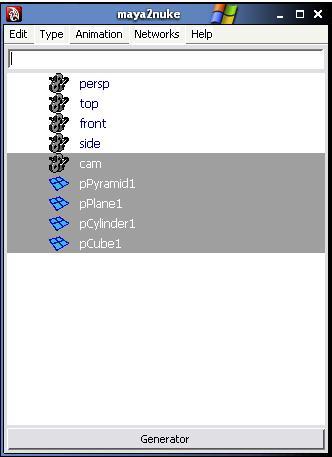
2. In python command port.Type "from maya2nuke import *". Open maya2nuke UI.
3. In Type menu. Select export type. Camera, mesh or all.
4. In Animation menu. Select animation type. Camera, mesh or all.
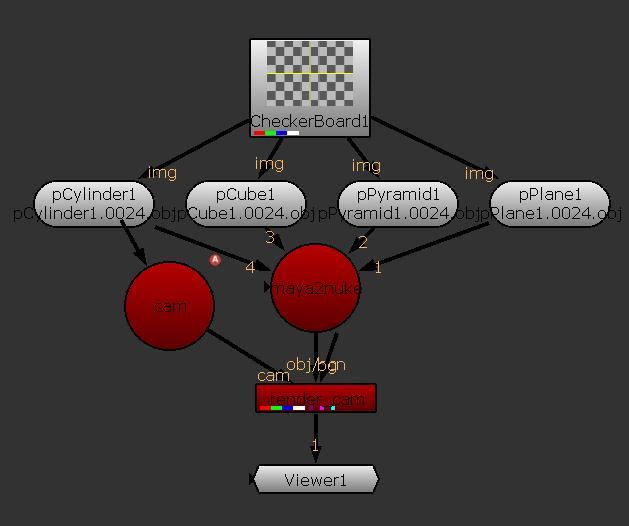
5. in Networks menu.Choose nuke networks type.
None: Only the original node
Base: Build basic 3d scene
ContactSheet: Contact camera
6. Select the object you want to export.
8. Click Generator Button.
9. into nuke press ctr + v.
Note:
- When the maya scene is changed. You need to update maya2nuke data. Click "edit / Calculate Maya Data".
- You can view and save nukeScript. Click "edit / Show Nuke Script", "edit / Save Nuke Script As".
Good luck.
2010.6.17
Please use the Bug System to report any bugs.
Please use the Feature Requests to give me ideas.
Please use the Support Forum if you have any questions or problems.
Please rate and review in the Review section.
Please use the Feature Requests to give me ideas.
Please use the Support Forum if you have any questions or problems.
Please rate and review in the Review section.