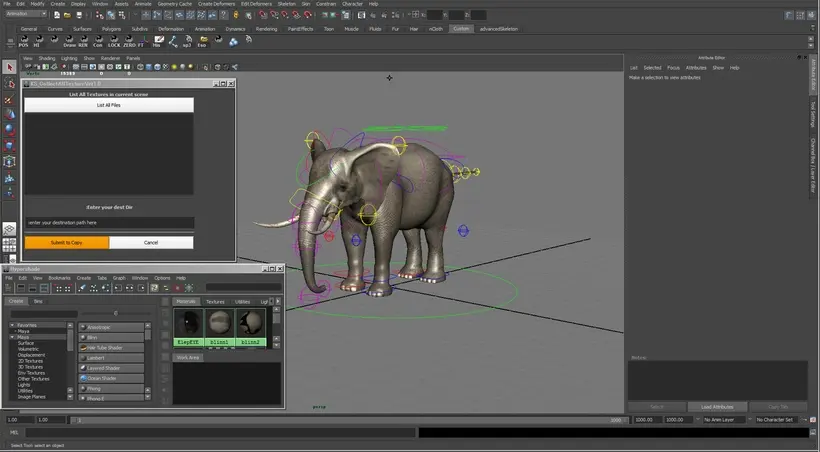
It's really helpful to give the whole data to somebody.
You don't need to find all the textures to assemble one path.
Please try to use!!
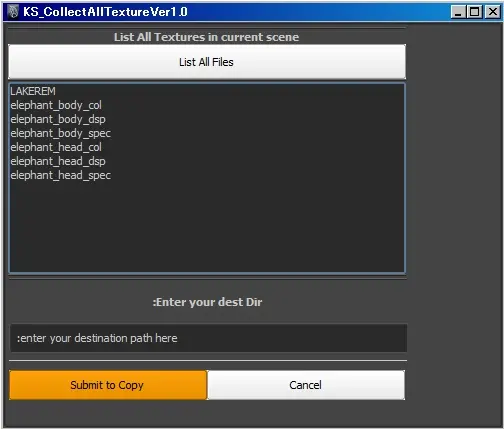
1,press List All Files
2,also you can select the texture file from the list
3,enter your dist path you want to copy textures
4,press Submit to Copy
5,That's all
NOTE:This script just copy the textures.If you want to replase your texture path, please use other useful script.
Cheers,
Please use the Bug System to report any bugs.
Please use the Feature Requests to give me ideas.
Please use the Support Forum if you have any questions or problems.
Please rate and review in the Review section.
Please use the Feature Requests to give me ideas.
Please use the Support Forum if you have any questions or problems.
Please rate and review in the Review section.