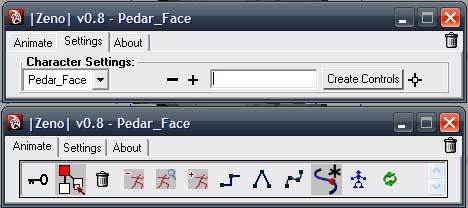
Zeno is a Character Animation Keyframer, it means that you can select all or some parts of your character and make a controller from them. Then you will be able to keyframe all of them with a simple click. It also has many other features. Use it and HavE fuN.
Installation:
You need pymel to install before using Zeno. After installing pymel:
Put the script to your PYTHONPATH and type:
-------------------------------
frpm zeno import *
ui()
--------------------------------
Attention: I am in a middle of a production so I haven't any time for documenting Zeno.
You'll probably find out how to use it. Sorry guys, I just want to share it with you.
Video Tutorial: Comming soon
Some Screenshots:

Please do not hesitate to contact me.
Farsheed Ashouri, Ceo@rodmena.com
Copyright 2008 | rodmena.com
Please use the Bug System to report any bugs.
Please use the Feature Requests to give me ideas.
Please use the Support Forum if you have any questions or problems.
Please rate and review in the Review section.
Please use the Feature Requests to give me ideas.
Please use the Support Forum if you have any questions or problems.
Please rate and review in the Review section.