






Hello everyone!
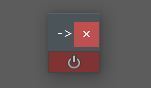
This is my reset selection tool.
This is my reset selection tool.
USAGE:
The reset gets executed on all selected objects.
The reset gets executed on all selected objects.
- First the tool will check if you have any keys in the graphEditor selected. If so; only those will be reset.
- If no keys are selected, the tool will check if you have any attributes in the channelBox selected. If so; only those channels will be reset.
- If also no channels are selected; the object will be fully reset.
Right clicking the reset button in the winodw will give you the option for the function to ignore any of these priorities.
Also:
- Locked attributes will be ignored.
- If an attribute has no animation yet (no keys), there will be no key set on that attribute, it will simply be reset to the default value.
- You can also reset highlighted timeranges in the timeslider. In this case only the keyed attributes will be reset, no new keyframes will be made.
INSTALLATION:
Paste the MEL files in your Maya scripts forlder: C:\Users\?User?\Documents\maya\?version?\scripts
Paste the MEL files in your Maya scripts forlder: C:\Users\?User?\Documents\maya\?version?\scripts
and run this MEL line inside Maya:
svm_resetSelection_UI();
svm_resetSelection_UI();
(you can make a shelf button for that)
Or put the files in any location and source them with a button, but don't forget the command: svm_resetSelection_UI();
Or put the files in any location and source them with a button, but don't forget the command: svm_resetSelection_UI();
To remove the tool out of your maya, simply delete the files.
If you want the function in a hotkey; use this command: svm_resetSelection();
NOTE: The UI has to be open for the function tho work properly. If you call this command and the UI window was not open, the UI will be openend and the reset will be executed.
Enjoy!
Stijn Vande Maele,
Stijn Vande Maele,
3D Character Animator
If you like the tool and want to buy me a beer :)
Please use the Bug System to report any bugs.
Please use the Feature Requests to give me ideas.
Please use the Support Forum if you have any questions or problems.
Please rate and review in the Review section.
Please use the Feature Requests to give me ideas.
Please use the Support Forum if you have any questions or problems.
Please rate and review in the Review section.


