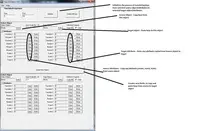
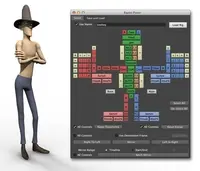
Thats exactly what it does. Matched pairs of objects or, using the hierarchy filters entire rig / object hierarchies over which data is passed between them. Hierarchy is very carefully mnanaged matched and filtered child objects from given roots. If hierarchy is OFF then it should copy the data between objects selected in pairs, ObjA>ObjB, ObjC>ObjD etc.
Yes I know, I've got to get round to doing a video. I was hoping in the mean time that the PDF that comes with this would be enough to get people started.
I´m trying to make a shelf button that will run this script, and when I put the plugin-folder for example here..
sys.path.append('C:\Red9\scripts')
..it works, but if I put the Red9 folder where I want to have my scripts, and change the the adress to..
sys.path.append('D:\My Documents\Maya\2012-x64\Red9\scripts')
..it says: # Error: ImportError: No module named Red9_Setup #
Is this because there are spaces in the search-path? I don´t know python at all, is there a way to fix this?
Also, is this pipeline safe? I.e if I save a maya scene which used this plugin, can I open the scene on another maya install where the plugin isnt present?
Thanks!
yes its the spaces, to get over it just add the path as a raw string..
sys.path.append(r’D:\My Documents\Maya\2012-x64\Red9\scripts’)
that should do it
Red
Is this when you're copying the section out from the install txt to the Maya script editor I take it? Python is indent/tab/space dependent, that's to say that any bad or extra spaces in-front of the calls will error the functions out.
Hope that helps, if not drop me a mail and I'll help you out
Mark
are you running Maya 2009 by any chance? I had issues with that and don't really support it fully as the metaData api won't run under python 2.5. The CameraTracker will run, but I had issues with the menuOption boxes for some reason.