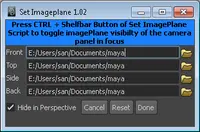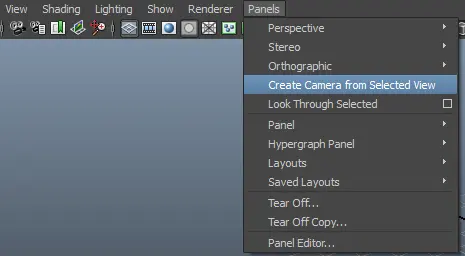
Insert the line below in your buildPanelPopupMenu.mel which is located
at this location: C:\Program Files\Autodesk\MayaXXXX\scripts\others [where XXXX is replaced by version of maya]
Look for the code below in the file buildPanelPopupMenu.mel [line number 312]
$menu = `menuItem -label (uiRes("m_buildPanelPopupMenu.kOrthographic")) -subMenu true`;
menuItem -e -postMenuCommand
("buildOrthoLookthruMenu "+$menu+" "+$panelName) $menu;
setParent -m ..;
after the above code insert this code at line number 315(incase of Maya 2013)
$menu = `menuItem -l "Create Camera from Selected View" -c "selViewCamera()" -subMenu false`;
adding the above code will give you a menu item to perform the operation

let me know if you have to say something about it.Any kind of comments or critiques ...
I would love to hear from you.
Please use the Bug System to report any bugs.
Please use the Feature Requests to give me ideas.
Please use the Support Forum if you have any questions or problems.
Please rate and review in the Review section.