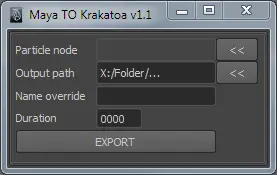
release on 02/24/13
based on the plug-in and python script by Bo Shou @ http://code.google.com/p/ortholab/wiki/PRTTranslator
latest version of the PRT_Translator plugin is included.
1/ Installation
Copy the 'PRTTranslator.mll' you need, regarding your OS and your version of Maya, to your 'plug-ins' folder, that should be located as the following : "XX:\Users\NAME\Documents\maya\20XX-x64\"
If not, create it.
Then, you can use the script as you want...
If you want to use it as a shelf button, copy the content of the mel script and then save it as a shelf button.
2/ Usage
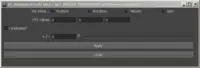
Launch the script.
Select the particle or nparticle node you want to export to PRT.
Click on the "<<" button to get the coresponding shape node.
Select an output folder by browsing button "<<".
Enter the number of frames you want to export.
Click 'EXPORT'.
Done.
Please use the Bug System to report any bugs.
Please use the Feature Requests to give me ideas.
Please use the Support Forum if you have any questions or problems.
Please rate and review in the Review section.
Please use the Feature Requests to give me ideas.
Please use the Support Forum if you have any questions or problems.
Please rate and review in the Review section.