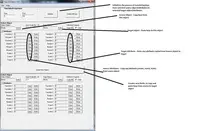
the move operation is obsolete the random shift has some uses. However wouldn't it jut be easier for the user to to implement a random move as a button/option in dope sheet, and use dope sheet to manage the ranges?
Wanted to use the tool, but the result is not what I expected.
I have 500 cells that have to move to a particular position, one after the other. I did 2 keyframes, one at frame one, the other at frame 5. After that I selected the object and tried the shift tool with Multiple Mode and a difference of 5, hoping that each object will have it's keys offseted 5 frame from the preceding object.
the frames where offseted, but my animation curves startind stretching, and instead of beeing offseted, they where kindof stretched. I don't know if you can solve that, as the other functions fo the tool are really great, I love the random shifting.
cheers
br1
Nice tool, but the multi move is very difficult. I would expect for all the keys on each object to be shifted in the range, so, object 1 keyed at 0, 5. Object 2 is shifted to 5, 10, object 3 to 10, 15 if the shift value was 5. The tool doesn't do this. I wish it would.