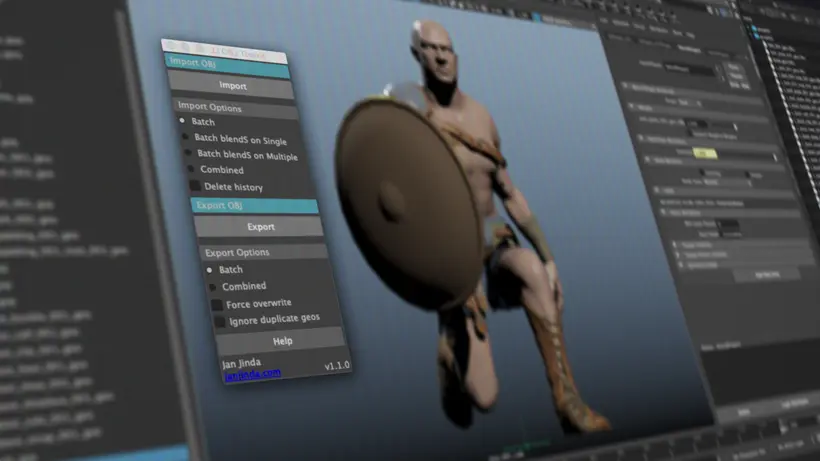
This toolkit is a set of simple scripts tailored to provide clean, easier and more effective workflow for handling OBJ files in Maya. Thanks to the Import as blend shape options it keeps all your scene hierarchy, geometry UVs, shader assignments etc. It was intensively tested on projects like Pacific Rim: Uprising, Venom and lately Avengers: Endgame.
Installation
Copy jj_objToolkit.py from the zip file to your scripts folder. Usually at these locations:
Windows – \<user’s directory>\My Documents/Maya\<version>\scripts
MacOs – /Users/<user’s directory>/Library/Preferences/Autodesk/maya/<version>/scripts
Linux – $MAYA_APP_DIR/Maya/<version>/scripts
Run following script or make a shelf button with following script (How to make a shelf button)
import jj_objToolkit
jj_objToolkit.showUI()
Documentation
https://janjinda.com/pages/jj-obj-toolkit-documentation
Please use the Feature Requests to give me ideas.
Please use the Support Forum if you have any questions or problems.
Please rate and review in the Review section.