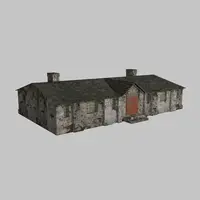
as_polyFracture 0.5.8 for Maya (maya script)

polygonal shatter based on 3D voronoi algorithm

per page
11-17 of 17 Next

Reviews Love it? Or maybe you want to share some creative ways you're putting this item to use.

  • Alin Sfetcu

    Alin Sfetcu said over 15 years ago:

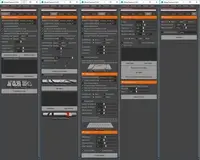
    step 3 can be skipped. if you skip step 3, then you need to delete all the locators which are outside the object, by hand prior using step 4.

    Report
  • King Mango

    King Mango said about 14 years ago:

    Script is extremely handy and very easy to use. Thanks very much.
    Report
  • Necromyr

    Necromyr said over 12 years ago:

    can this be used on Maya 2014?
    Report
  • Alin Sfetcu

    Alin Sfetcu said over 12 years ago:

    yes, works in Maya 2014 too, except for the step 3. (you need to delete all the locators which are outside the object, by hand prior using step 4.)
    Report
  • KentYang

    KentYang said almost 11 years ago:

    Does this script work in Maya 2015 or above? I can't load it successfully in 2015.
    Report
  • longjohnsally

    longjohnsally said almost 6 years ago:

    Tested in Maya 2020.  Works great!
     
    This script is short sweet and simple.  You can't control the style of the fracture, just the density of it (by increasing the rate of particle emission).  The final result is clean and easy to achieve though.  I feel like some of the steps could be automated (like the cleaning), and it would be nice if it kept the original object...but these are pretty minor complaints for a free script.
     
    Make sure that when you put the script in the script folder that you just put the script by itself (not a folder within your script folder) or else the launching script won't work.
     
    Recommended :D
    Report
  • sdavy

    sdavy said over 3 years ago:

    This script is awesome, and I'm SOOOO happy to find an updated version that works in at least Maya 2020 (haven't tested it in later versions yet).  If I had one tiny, tiny criticism it would just be that the use of locators to define the fracture locations can mean it's difficult to clean up those that are outside of the volume just due to the nature of locators. They overlap visually in ortho views and dragging a marquee close to the surface will often select locators that are actually just inside the volume as well as those that are outside (obviously resizing the locs can help). Might be better to use spheres or some other means that is easier to read and select. BUT, that really is nitpicking. So many uses for this script. Thanks!
    Report

Post a review:

Rate this item:
Sign in