
abxSmartKey 2011 3.0.0 for Maya (maya script)
Enhances ChannelBox by automatically syncing the timeline and graph editor with selected channels
Bugs
Channel box selection disappears upon selecting key (2011)
| Status | closed |
|---|---|
| Priority | medium |
| Date | 05/27/2010 |
| Submitted by |
 Jim Levasseur |
| Modify this bug | edit |
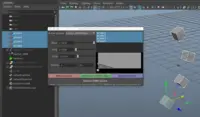
Example: you have a cube with keys set on several channels.
1. Select one attribute in the channel box, say, Translate Y.
2. Go into the graph editor and select a key.
3. Your selection in the channel box disappears, which means if you hit "S" to make another key on Translate Y, it will actually make keys for all keyable attributes on the cube (though Translate Y is still the only channel showing in the graph editor).
Is this behavior identical to previous versions? I no longer have access to a computer with Maya 2010, but I could have sworn that in previous versions of Maya, abxSmartKey retained the channel box selection even when working with keys.
Thanks!



Comments on this bug:
J Adam Burke said about 15 years ago:
privetboria said over 12 years ago: