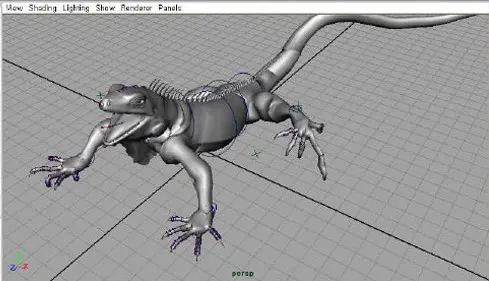
Skinner for Maya2008
Copyright (C) 2008 Jaewoo Seo (goongsang@kaist.ac.kr)
Visual Media Lab, Graduate School of Culture Technology, KAIST, Korea
--------------------------------------------------
Introduction
'Skinner' is an advanced skinning algorithm to replace ordinary smooth bind function in Maya.
This program uses some part of the Pinocchio automatic rigging library developed by Ilya Baran (ibaran@mit.edu).
--------------------------------------------------
How to Install
1. Copy Pinocchio.dll to "Maya2008bin" directory (ex. C:Program FilesAutodeskMaya2008bin).
2. Copy Skinner.mll to "Maya2008binplug-ins" directory (ex. C:Program FilesAutodeskMaya2008binplug-ins).
3. Load "Skinner" in plug-in manager window.
---------------------------------------------------
How to Use
1. Select a mesh and joints to bind.
2. Apply "Smooth Bind" first. (The standard one in Maya.)
3. Select the mesh again. (only mesh, not joints)
4. Type "Skinner" in command line, and press enter.
---------------------------------------------------
Command Options
1. '-tol' : Distance field tolerance ( > 0.000001)
2. '-gs' : Global smoothness (1.0 ~ 1.5)
3. '-ls' : Local smoothness (0.0 ~ 1.0)
4. '-distT' : Distance threshold in cluster filtering ( > 1.0)
5. '-sizeT' : Size threshold in cluster filtering (0.0 ~ 1.0)
Please use the Feature Requests to give me ideas.
Please use the Support Forum if you have any questions or problems.
Please rate and review in the Review section.