
Red9 Studio Pack 1.4.3 for Maya (maya script)
A Powerful new pack aimed at speeding up workflow for animators and riggers
Q/A
1st Steps...
| Date: | 02/19/2014 |
|---|---|
| Submitted by: |  James Kyle |
I think I've set the hierarchy filter properly I think. When I select the root of my rig and test the filter it selects the controls. It's going great.
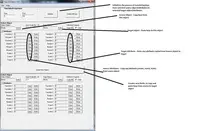
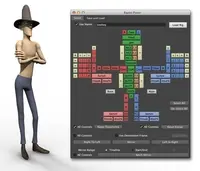
I'm having problems then mirroring any poses however. I'm not sure if there's a step I'm missing. I select the lists of controls on either side in the same order as your video describes yet I'm not making any progress in mirroring even two control's attributes. I'm not seeing any of the Extra Attributes, and I'm wondering if I have to do that myself or if that's something that the plugin should be adding.
Is there some obvious step I've missed? It's been a while since I've used Maya for anything (I'm on 2014), so perhaps I have but I can't see what's going wong.
I'm having problems then mirroring any poses however. I'm not sure if there's a step I'm missing. I select the lists of controls on either side in the same order as your video describes yet I'm not making any progress in mirroring even two control's attributes. I'm not seeing any of the Extra Attributes, and I'm wondering if I have to do that myself or if that's something that the plugin should be adding.
Is there some obvious step I've missed? It's been a while since I've used Maya for anything (I'm on 2014), so perhaps I have but I can't see what's going wong.
Replies to this question:
Red9 said over 12 years ago:
James Kyle said over 12 years ago: