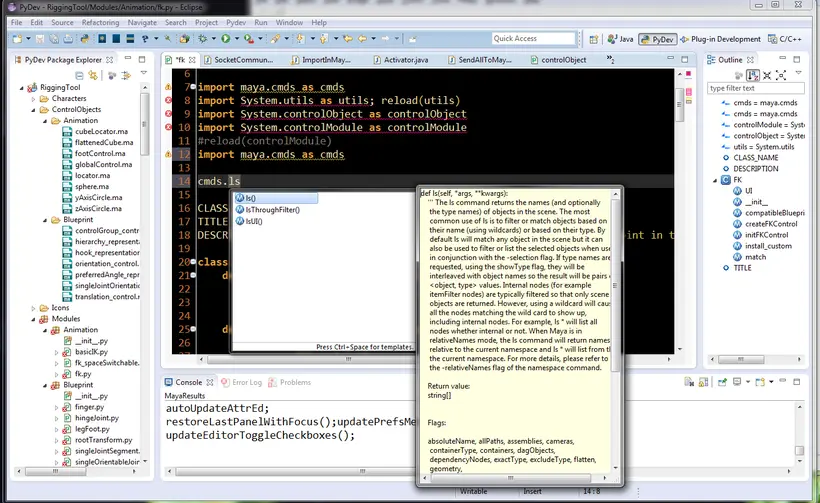
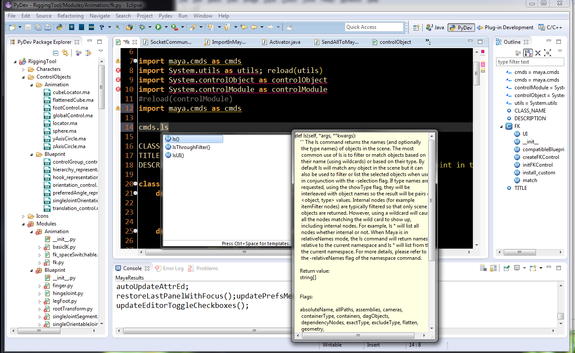
This is a plugin for Eclipse that turns it into a Maya IDE. Features include:
- **New** Import the script being edited (add the script location to sys.path, save the editor and import/reload it)
- **Updated** Open up documentation for Maya's Python API, Python Commands, Pymel, Qt, PySide, PyQt and User options
- Supports editing python and mel
- Send the entire contents of an editor to Maya
- Send a highlighted selection to Maya
- Python and mel scripts supported
- Anything done within Maya's own script editor is also echoed in the Eclipse console view
- Change the port number of the socket at any time
- Eclipse Kepler, Juno, Indigo, and Helios supported.
Download the plugin here or use the Eclipse Marketplace to install automatically.
For more info and how to install, see tutorial here:
https://www.creativecrash.com/maya/tutorials/using-tools-scripts/c/using-eclipse-as-a-maya-ide
Please use the Feature Requests to give me ideas.
Please use the Support Forum if you have any questions or problems.
Please rate and review in the Review section.