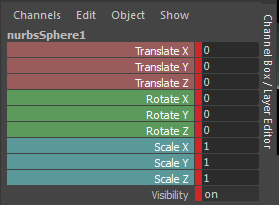
Manip Hotkeys
But have you ever really considered how much effort and time it does take to constantly try and select a small area of a manipulator? What if we didn't have to be so careful in selecting it? What if we didn't have to select it at all?
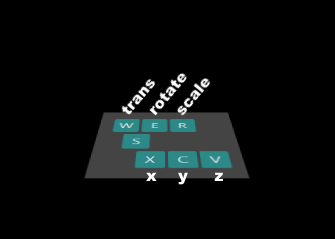
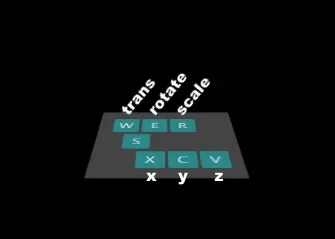
Maya ships with default hotkeys for entering the manipulation modes of translate, rotation and scale. These are very well known as 'w', 'e' and 'r'. This script goes one step farther and adds hotkeys to select the x, y, or z channels for whatever manipulation mode you are currently in. These 'x', 'c', 'v' hotkeys are very closely related to the default ones and are very close to the 's' which sets a key. Middle-mouse drag left/right when in rotate and scale mode and in the direction of the axis for translation mode.
You will find that once you get familiar with the new hotkeys, making edits will be extremely quick and intuitive.

Note: unfortunately this script only works for Maya2016.5 and later.
Please use the Feature Requests to give me ideas.
Please use the Support Forum if you have any questions or problems.
Please rate and review in the Review section.