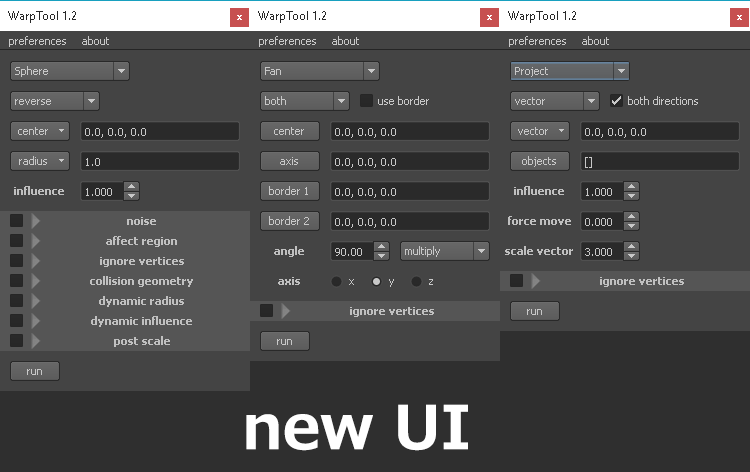
WarpTool 1.2 for maya 2014+
ui written in PySide + shiboken
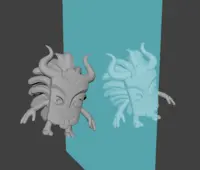
A pack of deformation tools for faster modelling. Every deform can be applied to both of whole mesh and components. Now it has 6 ones:
New UI supports adding more impending widgets and leaves over simply view.
From version 1.1 ctrl+z is supported!
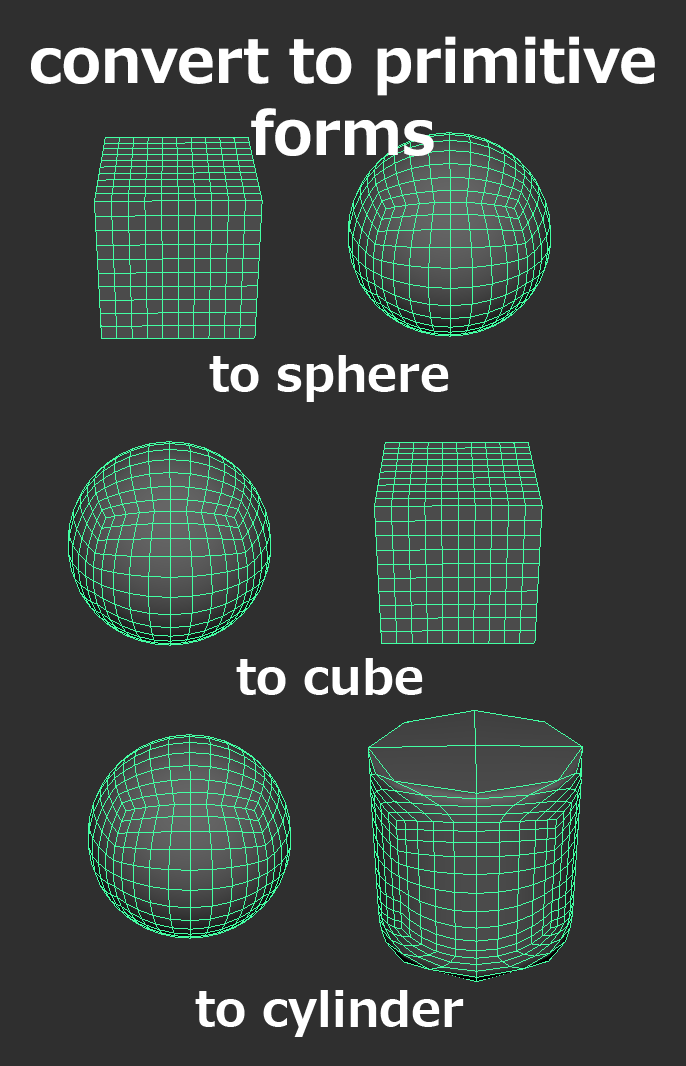
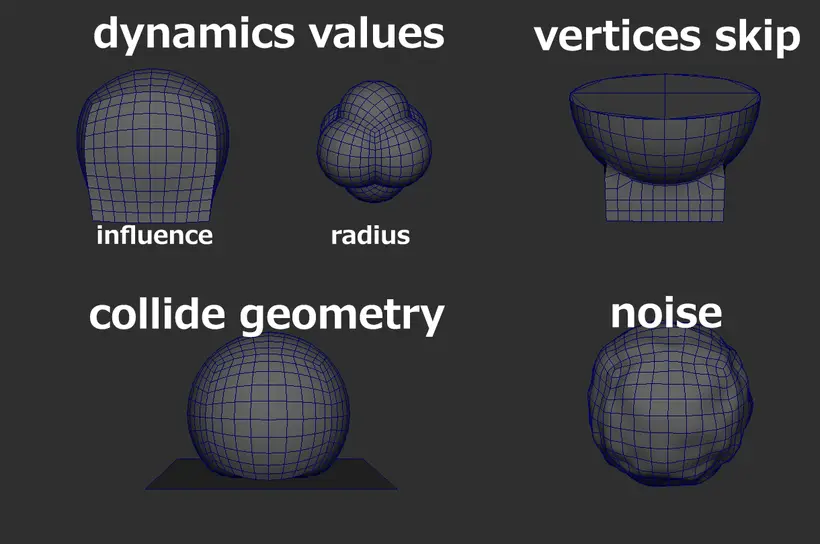
1. Sphere, Cube, Cylider deform
Lets you convert any mesh or part to sphere, cube or cylinder.
supports next features:
-reverse/backside project
-noise
-collision geometry
-ignore vertices by region/custom selection
-post scale
-dynamic radius
-dynamic influence
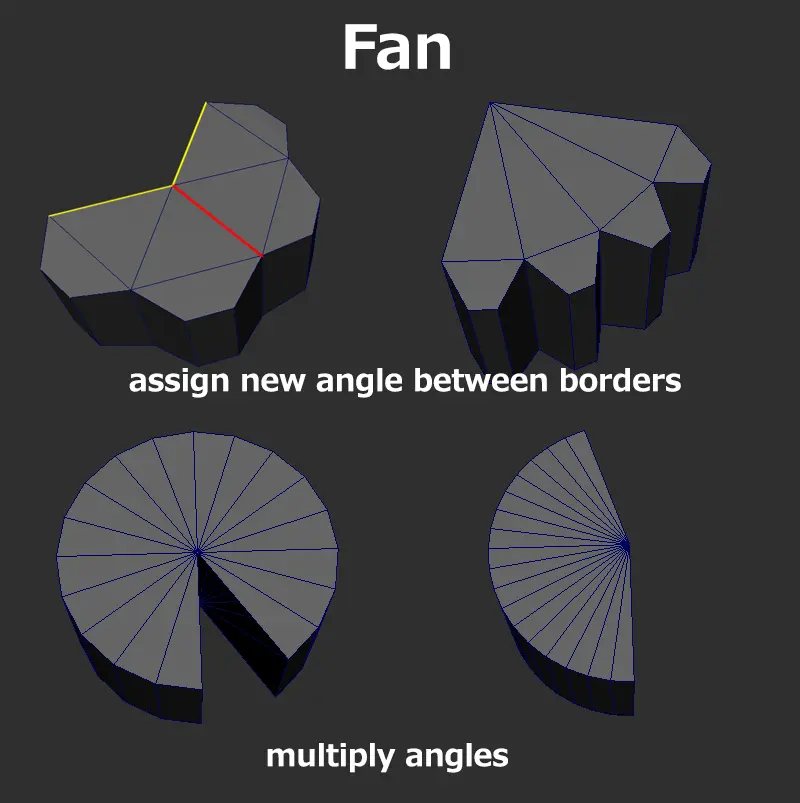
2. Fan deform
Tool lets you deform geometry like a fan. Select botder axises, center and scale axis and apply new angle between borders. All selected vertices will change position according new angle!
supports next features:
-angle limit
-set/multiply angle
-select scale direction
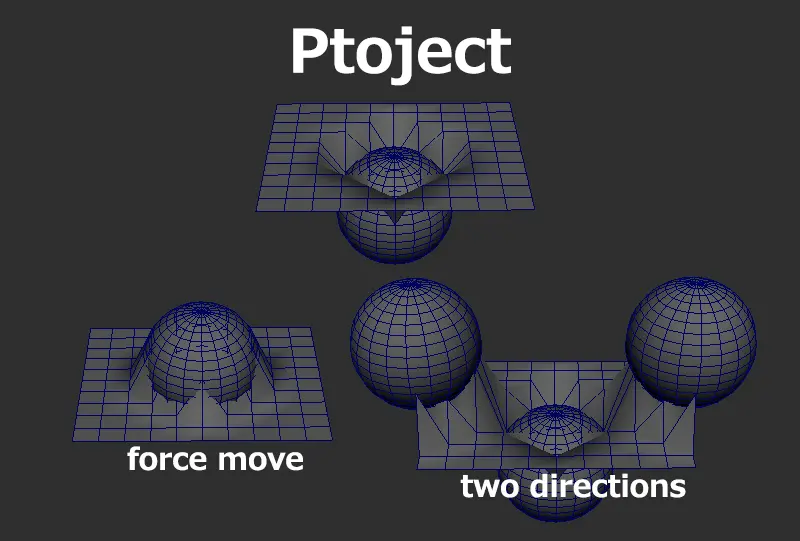
3. Project deform
Project one mesh or part to another using this tool!
supports next features:
-two directions
-force move
-project by camera
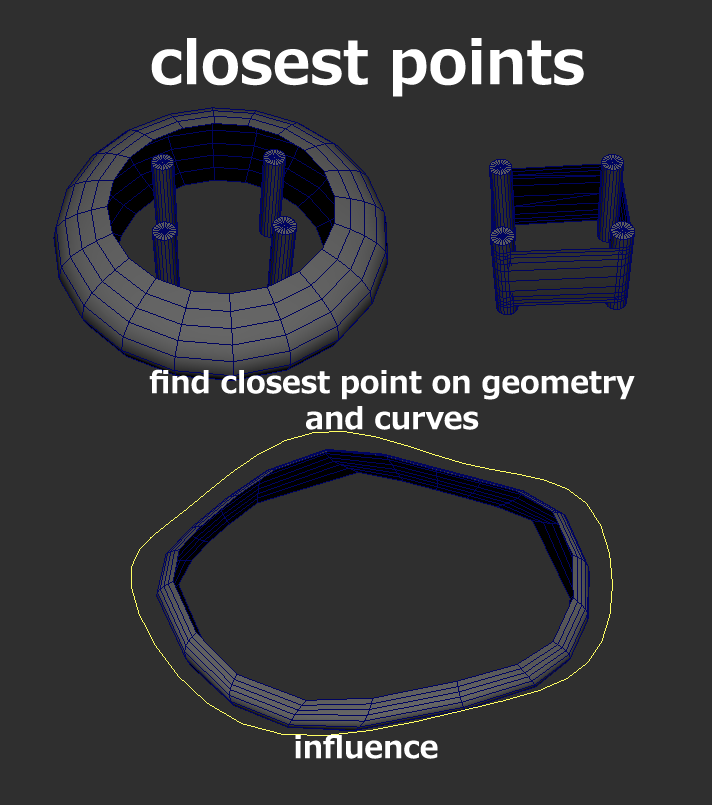
4. Close points deform
Project mesh on other's closest points.
supports next features:
-select object by queue
-select object by distance (the closest, the most far)
-project on mesh, on curve
new in 1.2:
-new UI
-code optimisation
-more features
how to launch:
1. put WarpTool folder to scripts
2. use the next Python code:
import WarpTool
WarpTool.ui()
ui written in PySide + shiboken
A pack of deformation tools for faster modelling. Every deform can be applied to both of whole mesh and components. Now it has 6 ones:
New UI supports adding more impending widgets and leaves over simply view.
From version 1.1 ctrl+z is supported!
1. Sphere, Cube, Cylider deform
Lets you convert any mesh or part to sphere, cube or cylinder.
supports next features:
-reverse/backside project
-noise
-collision geometry
-ignore vertices by region/custom selection
-post scale
-dynamic radius
-dynamic influence
2. Fan deform
Tool lets you deform geometry like a fan. Select botder axises, center and scale axis and apply new angle between borders. All selected vertices will change position according new angle!
supports next features:
-angle limit
-set/multiply angle
-select scale direction
3. Project deform
Project one mesh or part to another using this tool!
supports next features:
-two directions
-force move
-project by camera
4. Close points deform
Project mesh on other's closest points.
supports next features:
-select object by queue
-select object by distance (the closest, the most far)
-project on mesh, on curve
new in 1.2:
-new UI
-code optimisation
-more features
how to launch:
1. put WarpTool folder to scripts
2. use the next Python code:
import WarpTool
WarpTool.ui()
for Maya 2017+
import WarpToolPySide2
WarpToolPySide2.ui()
WarpToolPySide2.ui()
Next update is will be merging both on these versions into one.
Please use the Bug System to report any bugs.
Please use the Feature Requests to give me ideas.
Please use the Support Forum if you have any questions or problems.
Please rate and review in the Review section.
Please use the Feature Requests to give me ideas.
Please use the Support Forum if you have any questions or problems.
Please rate and review in the Review section.