Very cool ..... I've just tried it in Maya 2010 and seems to work fine btw.
Voxelize Meshes 0.3.0 for Maya (maya script)
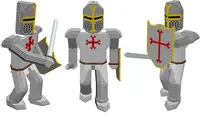
Turn selected meshes into an array of cubes.
1-5 of 5
Previous
Next
Reviews Love it? Or maybe you want to share some creative ways you're putting this item to use.
-
works in maya8.5 also. its great but creates very heavy scenes. Is there a chance that the meshes on each frame could be combined maybe? A 20 frame animation creates thousands of cubes when really 20 meshes would have been better. Dont want to sound cheeky or ungrateful its a very cool script and gives great results but this step in the chain at the end of each frame calculation would be superb :) -
Maya Running 2010 64 bit: # Error: ImportError: No module named pymel # Aslo I Got: // Error: ### voxelize meshes v.3 // // Error: invalid directive // // Error: cmds.progressBar( gMainProgressBar, // // Error: Invalid use of Maya object "gMainProgressBar". // // Error: edit=True, // // Error: Invalid use of Maya object "True". // // Error: beginProgress=True, // // Error: Invalid use of Maya object "True". // // Error: isInterruptable=True, // // Error: Invalid use of Maya object "True". // // Error: ) // // Error: Invalid use of Maya object "length". // Kindly Advise -
Finding bounding box of animation... Press ESC to cancel # Error: line 0: 'ascii' codec can't decode byte 0x83 in position 118: ordinal not in range(128) # Traceback (most recent call last): # File "", line 149, in # File "", line 94, in init # UnicodeDecodeError: 'ascii' codec can't decode byte 0x83 in position 118: ordinal not in range(128) #
Please confirm your email before commenting.