
The Rigging Toolbox 2 2.0.5 for Maya (maya script)
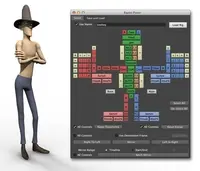
The Rigging Toolbox is a set of tools and full auto-rigger designed to aid in the process of rigging articulated characters for animation.
Bugs
Leg rig throws error
| Status | pending |
|---|---|
| Priority | high |
| Date | 11/20/2014 |
| Submitted by |
 Will Hattingh |
| Modify this bug | edit |
There seems to be a bug in Maya 2014 SP5 and also in Maya 2015 SP4 I tried in both.
Using the autorig tools (IK/FK Leg w/Foot Roll)
Below are the steps (added exactly as in tutorial)
- Left it on IK
- Left it on Switch
- Stretchy IK (NOT selected)
- Reposition pole vector (Selected default)
- Mirror +x to -x (Selected)
- Search for: Left
- Replace with: Right
Below is my selection options which match the target selections after adding them, and also includes the error found.
select -cl ;
select -r LeftHip ;
select -tgl LeftKnee ;
select -tgl LeftAnkle ;
select -tgl LeftFootRoll ;
select -tgl LeftToe ;
select -tgl CTRL_LeftLeg_PV_1 ;
select -tgl CTRL_LeftFoot_1 ;
Success: IK Leg rig constructed
# Error: IndexError: file C:/Users/Josh/Documents/maya/scripts\TheRiggingToolbox.py line 3336: list index out of range #
After the error is shown in the console the -X controls and joints are duplicated but the rig is not set up.
Installed TheRiggingToolbox_v132_Maya2015.pyc / TheRiggingToolbox_v132_Maya2014.pyc under the maya scripts folders for 2014-x64 / 2015-x64, everything else seems to be working except the leg rig. Although I have not yet tried to "Connect Rigged" since I don't have all the items to combine
Using the autorig tools (IK/FK Leg w/Foot Roll)
Below are the steps (added exactly as in tutorial)
- Left it on IK
- Left it on Switch
- Stretchy IK (NOT selected)
- Reposition pole vector (Selected default)
- Mirror +x to -x (Selected)
- Search for: Left
- Replace with: Right
Below is my selection options which match the target selections after adding them, and also includes the error found.
select -cl ;
select -r LeftHip ;
select -tgl LeftKnee ;
select -tgl LeftAnkle ;
select -tgl LeftFootRoll ;
select -tgl LeftToe ;
select -tgl CTRL_LeftLeg_PV_1 ;
select -tgl CTRL_LeftFoot_1 ;
Success: IK Leg rig constructed
# Error: IndexError: file C:/Users/Josh/Documents/maya/scripts\TheRiggingToolbox.py line 3336: list index out of range #
After the error is shown in the console the -X controls and joints are duplicated but the rig is not set up.
Installed TheRiggingToolbox_v132_Maya2015.pyc / TheRiggingToolbox_v132_Maya2014.pyc under the maya scripts folders for 2014-x64 / 2015-x64, everything else seems to be working except the leg rig. Although I have not yet tried to "Connect Rigged" since I don't have all the items to combine




Comments on this bug:
snwlf said over 10 years ago: