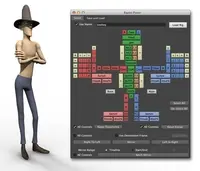
"Rapid Rig: Advanced" - Auto Rig 2.3.9 for Maya (maya script)

This is a tool that will set up a customizable rig for a bipedal character

Q/A

select

Date:02/10/2013
Submitted by:siditty45 siditty45
I have a problem selecting the rig or my object because they are so close. what other way is there to select? and sure it picks the proxy but if I accidently click something, the proxy is no longer selected and I see no way to reselect it.


Replies to this question:

  • Dustin Nelson

    Dustin Nelson said almost 14 years ago:

    You can add your mesh to a layer and then set the layer to template or reference so that you can't select it while you are trying to edit your proxies. Or turn off the visibility of the layer to hide the mesh. You can do the same thing with the proxy layer if you don't want to see them/select them. The proxy layer is automatically created for you when you create your proxies. Alternatively, you can toggle the selection types, from the top bar, just underneath the menu bar. You can toggle off surface objects so that you can't select them while you are trying to select your proxies. Just remember to turn it back on again when you are done. You can also disable curve objects here, that way you can't select the proxies if you are wanting to select only mesh or some other node type. Dustin
  • siditty45

    siditty45 said almost 14 years ago:

    I´ve tried all the above, and the only way to get the proxy highlighted is to right click and pick select all. but then the mesh is highlighted. even when I´ve highted the proxy layer, can´t highlight it. thanks GOT IT! I got good results just toggeling the surface button. peace
  • siditty45

    siditty45 said almost 14 years ago:

    thanks you so much. peace
  • Dustin Nelson

    Dustin Nelson said almost 14 years ago:

    Glad to hear it. Good luck! Dustin

Post a reply:

Sign in