very cool. Only a minor suggestion:
Did you notice scaling of the object is not taken into account?
So the camera was created inside the scaled object at first try.

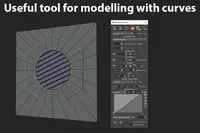
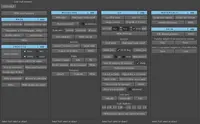
Projection Maker 1.9.5 for Maya (maya script)
A tool that projects an image plane onto an object
1-6 of 6
Previous
Next
Reviews Love it? Or maybe you want to share some creative ways you're putting this item to use.
-

-
Hello from Moscow, John. Can I suggest you to write this in renderParamsSet(): global proc renderParamsSet() { // determine Device aspect ratio float $renderWidth = `intField -q -v rWidthField`; float $renderHeight = `intField -q -v rHeightField`; float $devicePixelRatio = ($renderWidth/$renderHeight); // set render attributes setAttr defaultResolution.width `intField -q -v rWidthField`; setAttr defaultResolution.height `intField -q -v rHeightField`; setAttr defaultResolution.deviceAspectRatio $devicePixelRatio; setAttr defaultResolution.pixelAspect 1; // display the resolution gate showResolutionGate; } So that user don't have to go to render globals and check Device aspect ratio and Pixel aspect ratio. Thanks for awesome script! -
Congrats on this usefull script, I was always wondering why the Maya Developers never did develop this themself. Always thought this would be cool to have. Glad, you did it! Great! -
Haven't had time to check to see if Johns' suggestion was added. I just downloaded it as of today Sept. 22/10. global proc renderParamsSet() { // determine Device aspect ratio float $renderWidth = `intField -q -v rWidthField`; float $renderHeight = `intField -q -v rHeightField`; float $devicePixelRatio = ($renderWidth/$renderHeight); // set render attributes setAttr defaultResolution.width `intField -q -v rWidthField`; setAttr defaultResolution.height `intField -q -v rHeightField`; setAttr defaultResolution.deviceAspectRatio $devicePixelRatio; setAttr defaultResolution.pixelAspect 1; // display the resolution gate showResolutionGate; } Thanks for the share John Mather. This was a very coooooooool idea. Does save time jumping back a forth with Photoshop. CHEERS MR HOLLYWOOD
Please confirm your email before commenting.