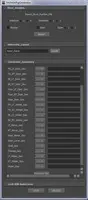
You can get around this problem easily. Just load up the MEL script into the Script Editor window (so all the script appears in the lower part of the window), then execute it by pressing Ctrl+Enter or select the menu Command > Execute
A box will pop up momentarily, but then when you load up the window with the "multiConstraintWinProc" command constraining will work as it should
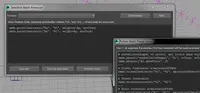
Still doesn't work, throws this error:
// Error: file: /apps/Linux64/aw/maya2014/scripts/others/performPointConstraint.mel line 229: Object 'pointConstraintAnimLayerWidget' not found. //
Yep, this script doesn't work. Sorry too -- this was exactly what I was looking for. I don't get any error messages, and even get a "constraint successful" type message after running it, but there are no constraints in sights.




Comments on this bug:
sheepfilms said about 14 years ago:
3dhighendlogin said over 11 years ago:
sdavy said over 11 years ago: