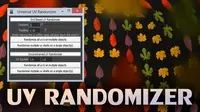
usage:
1- select the object that you want to assign noise animation to.
2- run the script
3- adjust the parameters and click assign then play the animation.
repeat this process until you're satisfied with the animation.
Installation:
1-Download and install PyQT for maya
PyQT for maya 2012 X64 (Windows):
http://dl.dropbox.com/u/1633130/PyQt%20x64/Maya%202012/PyQt-Py2.6-x64-gpl-4.8.3-1.exe
PyQT for maya 2013 X64 (Windows):
http://www.box.com/s/8680f07a877a96972570
2-copy the folder "site-packeges" from pyqt installation to mayaInstallationDirectory/Python/lib
3-Change this line in the script:
uiFile='C:/Program Files/Autodesk/Maya2013/scripts/SamirTools/NoiseController/NoiseController.ui'
to point to the path of the "NoiseController.ui" file.
4-Simply run it in maya, you may want to add it as a button in a custom shelf.
Please use the Bug System to report any bugs.
Please use the Feature Requests to give me ideas.
Please use the Support Forum if you have any questions or problems.
Please rate and review in the Review section.
Please use the Feature Requests to give me ideas.
Please use the Support Forum if you have any questions or problems.
Please rate and review in the Review section.