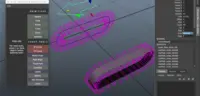
deformers to plants and grass distribution and sometimes
even for emitter population.
Help:
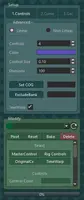
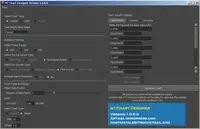
-You must first select your curve and then your node/object.
-There is an "Instance" check box, if checked the distributed
objects would only be an instance of the original object. A great time saver.
-In this UI select "Get Selection" to insert them into UI's relevant position.
-There are randomization options that you can use them to make your distribution look much more
fantastic.
-In the bottom you have a Twist control where you have control over your rotational properties.
Twist has two methods:
Increment Based(recommended): It uses a value (from the slider in the UI) to add to each instance up to the last
node.
360Based: It uses the number of distributed nodes, and for instance if you have ten objects distributed,
it would divide 360 by ten and uses the result which is 36 to increment each time. This method
is recommended in high quantity distributions.

Please use the Bug System to report any bugs.
Please use the Feature Requests to give me ideas.
Please use the Support Forum if you have any questions or problems.
Please rate and review in the Review section.
Please use the Feature Requests to give me ideas.
Please use the Support Forum if you have any questions or problems.
Please rate and review in the Review section.