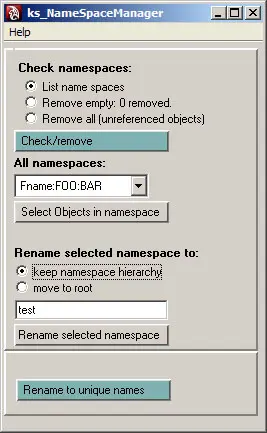
Features:
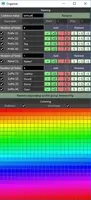
- View, rename or remove up to 7 levels of namespaces. If you need to remove more levels just re-run.
- Remove empty namespaces only and select objects in namespace options.
- Rename and keep in hierarchy or move namespace to root namespace.
Rename and remove is only possible with unreferenced objects.
10/29/07: Separate version for maya 7 added.
Install: Put ks_nameSpaceManager.mel in you script directory.Start the GUI by typing "ks_nameSpaceManager" in the script editor.
The zip archive contains a .ma file with several levels of namespaces for testing.
Usage:
Remove:
Choose "remove all" or "remove empty".
Rename:
Choose "list namespaces", choose a name space to rename in menu.
type a new name and hit rename.
Apply "Rename to unique names" after removing namespaces to ensure unique object names.
If you use this for a project please drop me a line.
-home page
-developer blog
-bitbucket repository
Please use the Bug System to report any bugs.
Please use the Feature Requests to give me ideas.
Please use the Support Forum if you have any questions or problems.
Please rate and review in the Review section.
Please use the Feature Requests to give me ideas.
Please use the Support Forum if you have any questions or problems.
Please rate and review in the Review section.