Similar behavior for me in Maya 2015. The original control curve is deleted and the new (working) control is an offset duplicate of the entire mesh, not just the selected faces.
One thing I've noticed is that if the control has more than one shape node under the transform, it gives this error:
# Error: AttributeError: nt.NurbsCurve(u'Base_CTRLShape') has no attribute or method named 'inMesh'
If I delete all the shape nodes except the first one, the script runs fine in most cases. I have found a couple cases where it gives me this error even when there is a single shape node, and I'm not sure why. Any ideas?
If you try to run the script with my jdFloursack rig, you'll get the error described above.
http://www.creativecrash.com/maya/downloads/character-rigs/c/jd-floursack
Hey everyone,
Sorry about the delay, work has been busy. But I am working on the fixes as well as adding in a couple of other features.
Thanks for the feedback, I'll try and get an update out soon addressing some of the issues raised.
@Joe: Ahh...I am pretty sure I didn't do a check for multiple shape nodes (sorry, wrote it really quick :p). I'll fix that in the next update as well.
Thank you for the link to the character, it'll help me troubleshoot a lot easier!
Cheers,
Ray
Hi Ray,
I've followed the instructions in the core.py
When I execute the pyton command I get this:
# Error: line 1: unexpected indent #
Any sugestions?
Thanks
Hello, downloaded this script today.
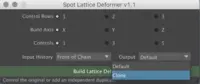
I created a sphere and a nurbs circle, deleted history, selected some faces and filled in the slots in your script menu. When I click setup, the nurbs circle is replaced by a new mesh consisting of the selected faces. Am I doing something wrong?
It loads if I put the folder in other scripts folder, not the one that shows the command "internalVar -usd;" (weird). The deformer mesh is created, but it doesn´t move or deform (neither selecting it from the control curve, nor it´s shape)
@ekenryd: Hello! This tool is really meant to work on a current setup you have for a rig, so for example, if you have a control hooked up to a deformer, which is deforming the mesh, it's just changing the shape node of that controller. It's not meant to set up the deformations for you.
@elbiancho: Hi! Hmm...That's odd, by default the scripts folder should be "C:\Users\$USERNAME$\Documents\maya\$MAYA_VERSION$\scripts".
As for the problem with the mesh not deforming, did you have a setup that's doing the deformation? If not, I've explained above that this doesn't actually make the deformation setup, but create a deformable control from a current setup.
I hope that makes sense, if it doesn't please let me know.
Raveen,
It is now working on the rigs I've tried it with. Issues with multiple shape nodes, as well as other errors have been resolved in my cases. Thank you!
@ Tristratos:
Well, I've figured out what's wrong with that, The next update will fix it.
The script technically is universal, though, I didn't account for the different ways people rig, I'm so used to how I rig in production that I've built the tool to more or less fit that structure (which isn't exactly overly complex to begin with, but it's quite strict in how you build your rigs.).
I thank everyone for sending me bug reports, each iteration will help me make it fit the different sorts of methods people use.
Right now I'm out of town for work till the end of February, so I probably wont get around to updating this till then.
Cheers,
Ray
@Joe
Awesome! Thank you for letting me know. Glad it's all working out now! :D



Comments on this bug:
Raveen Rajadorai said about 12 years ago:
elbiancho said about 12 years ago:
Raveen Rajadorai said about 12 years ago:
stickybullseye said about 12 years ago:
Joe Daniels said almost 12 years ago:
Raveen Rajadorai said almost 12 years ago:
Raveen Rajadorai said almost 12 years ago:
elbiancho said almost 12 years ago:
ekenryd said almost 12 years ago:
elbiancho said almost 12 years ago:
Raveen Rajadorai said almost 12 years ago:
elbiancho said almost 12 years ago:
Joe Daniels said almost 12 years ago:
Raveen Rajadorai said almost 12 years ago:
favilagghh said almost 11 years ago:
favilagghh said almost 11 years ago: