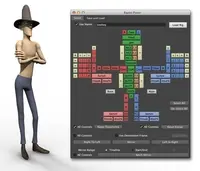
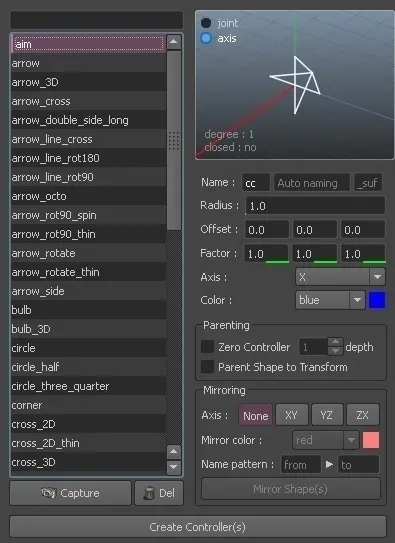
Instead of create all controllers by hands or with Python script lines, because Maya UI isn't so nice to work on these kind of things, especially parenting shapes or setting overrideColor, here is CtrlO, this is a user interface for advanced controllers creation, you can view the controller shape, can be binded to a joint directly, preview ability, creates zero, color override, mirroring, and so on :)

You have two way to import it in Maya ;
The first one is to unzip the zip file everywhere then type in a new Python script tab in Maya ;
1 2 3 4 |
import sys sys.path.append(r'PATH_TO_YOUR_FOLDER') # replace PATH_TO_YOUR_FOLDER from Ctrl_O import ctrlo |
Or copy the folder's content in your user_document/maya/scripts folder and add in your userSetup.py the following line :
1 |
from Ctrl_O import ctrlo
|
Then type inside maya, in commandLine or in a new Script tab :
1 |
ctrlo.Display_CtrlO_UI() |
That's it :)
Peace upon you all
Please use the Bug System to report any bugs.
Please use the Feature Requests to give me ideas.
Please use the Support Forum if you have any questions or problems.
Please rate and review in the Review section.
Please use the Feature Requests to give me ideas.
Please use the Support Forum if you have any questions or problems.
Please rate and review in the Review section.