Script for Maya
'Okay I just need to paste the hexadecimal code into Maya and its do....oh no, why?'
Finally these times are over.
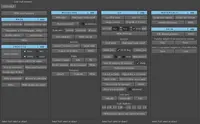
By running this script, a basic window will pop up. This is the moment you have been waiting for, just paste your Hexadecimal code(e.g. '059BEB'), Pantone color(e.g. '100c'), RAL number(e.g. 'ral8022'), color name(e.g. 'burlywood') or RGB values(e.g. '50 25 102) in and hit 'Change color'.
Works for shader from Turtle, Arnold, Redshift, VRay, Mental Ray, 3Delight, IRay, FinalRender, Renderman and Maxwell.
Easy to use and does not require any type of installation, just run the script.
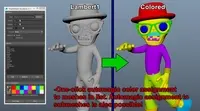
See example in the video above.
Tested in Maya 2018, 2019 and 2020.
Please rate it after downloading.
If there are any problems or bugs, just email me.
Hope it helps! :)
Please use the Feature Requests to give me ideas.
Please use the Support Forum if you have any questions or problems.
Please rate and review in the Review section.