Version History
v1.0.2 -
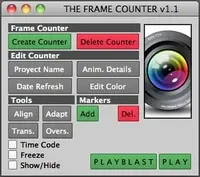
You can now select an item in the camera list and use the delete key to delete a
frame counter off the selected camera.
Selecting a camera in the list and holding the right mouse button will bring up
a popup menu displaying a list of new things you can do.
v1.0.1 -
Now the list will now update by itself without you having to click the Refresh
List button, but I still kept the button there just in case you need it.



You can now select an item in the camera list and use the delete key to delete a
frame counter off the selected camera.
Selecting a camera in the list and holding the right mouse button will bring up
a popup menu displaying a list of new things you can do.
v1.0.1 -
Now the list will now update by itself without you having to click the Refresh
List button, but I still kept the button there just in case you need it.