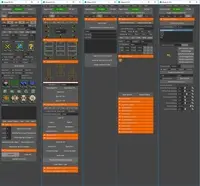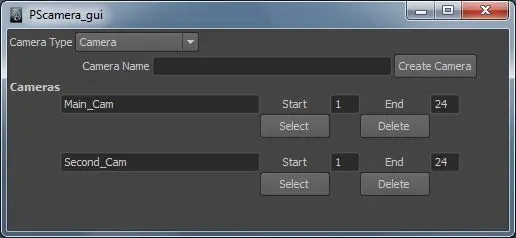
Put PS_MultipleCamera.mel in mayas script folder and run the command PS_MultipleCamera. Make sure that there are no cameras in the scene, apart from Maya default ones (persp, side, top and front). The main window appears. Select what type of camera you want to create. Type in a name, press create button. The camera and the attributes appears on the button of the window. Create a few more cameras and set start and end frame, for each one.
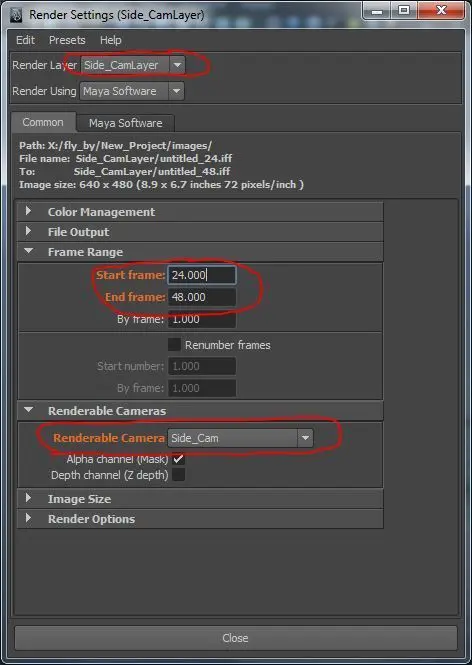
The script puts the cameras into individual render layers and uses layer overrides to set the different start and end frames. when batch rendered Maya puts the new rendered images into folders named after the render layer.
It doesn't work when you add geometry after creating the camera in the scene, so it's best if used at the end when everythings finished. Otherwise you'd need to add the new geometry to the camera render layers manually.
Have fun!
http://petethegerman.blogspot.com/
Please use the Bug System to report any bugs.
Please use the Feature Requests to give me ideas.
Please use the Support Forum if you have any questions or problems.
Please rate and review in the Review section.
Please use the Feature Requests to give me ideas.
Please use the Support Forum if you have any questions or problems.
Please rate and review in the Review section.