The Rigging Toolbox 2 2.0.5 for Maya (maya script)

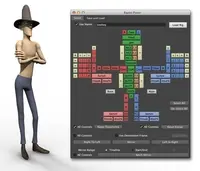
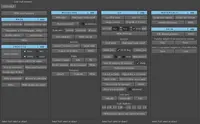
The Rigging Toolbox is a set of tools and full auto-rigger designed to aid in the process of rigging articulated characters for animation.

Q/A

v1.16 is now available

Date:11/25/2012
Submitted by:jbuck jbuck
Fast stretchy IK is now an option for the auto-rig solutions for both arms and legs. This solution calculates very quickly in realtime and does not slow down the posing of your characters.

The last iteration of the automated pole-vector positioning system would sometimes provide less than optimal results. The new automatic pole-vector positioning option that comes in 1.16 is vastly improved and guarantees to both keep the IK chains from offsetting during rigging and to position the pole vector in a logical and animator friendly position.
Replies to this question:

  • jbuck

    jbuck said over 13 years ago:

    Did you get this sorted?
  • liudger

    liudger said over 13 years ago:

    When I use the break hierarchy and repostition the bones. It won't reconnect when pressing rebuild. I got these errors. is this an installation issue. I run all the scripts from my server? pickWalk -d up; // Result: Root // # Warning: 'parent' command only operates on transform nodes. To parent shapes, use the -s/shape flag. # # Warning: 'parent' command only operates on transform nodes. To parent shapes, use the -s/shape flag. # # Warning: 'parent' command only operates on transform nodes. To parent shapes, use the -s/shape flag. # # Warning: 'parent' command only operates on transform nodes. To parent shapes, use the -s/shape flag. # # Warning: 'parent' command only operates on transform nodes. To parent shapes, use the -s/shape flag. # # Warning: 'parent' command only operates on transform nodes. To parent shapes, use the -s/shape flag. # # Warning: 'parent' command only operates on transform nodes. To parent shapes, use the -s/shape flag. # # Warning: 'parent' command only operates on transform nodes. To parent shapes, use the -s/shape flag. # # Warning: 'parent' command only operates on transform nodes. To parent shapes, use the -s/shape flag. # # Warning: 'parent' command only operates on transform nodes. To parent shapes, use the -s/shape flag. # # Warning: 'parent' command only operates on transform nodes. To parent shapes, use the -s/shape flag. # move -r 0 -0.599626 -1.499065 ; # Warning: 'parent' command only operates on transform nodes. To parent shapes, use the -s/shape flag. # # Warning: 'parent' command only operates on transform nodes. To parent shapes, use the -s/shape flag. # # Warning: 'parent' command only operates on transform nodes. To parent shapes, use the -s/shape flag. # # Warning: 'parent' command only operates on transform nodes. To parent shapes, use the -s/shape flag. # # Warning: 'parent' command only operates on transform nodes. To parent shapes, use the -s/shape flag. # # Warning: 'parent' command only operates on transform nodes. To parent shapes, use the -s/shape flag. # # Warning: 'parent' command only operates on transform nodes. To parent shapes, use the -s/shape flag. # # Warning: Object, 'Neck_twistJointsLocator6', skipped. It is already a child of the parent, 'frontAnkle'. # # Error: RuntimeError: file C:/Users/Joshuaq/Documents/maya/2013-x64/scripts\TheRiggingToolbox_v116_2013.py line 1526: Maya command error #
  • jbuck

    jbuck said over 13 years ago:

    Sorry about your problems, haven't seen this issue before. It shouldn't have anything to do with the server, that error indicates that the script is trying to parent something that it can't using the maya 'parent' command (that's in line 1526). Are you using standard Maya joints connected by a standard Joint hierarchy (parent->child relationship)? The break/rebuild-hierarchy command only works on joints. Do you have anything else as a child of the joints when you're running the command? Get back to me.

Post a reply:

Sign in