The Rigging Toolbox 2 2.0.5 for Maya (maya script)

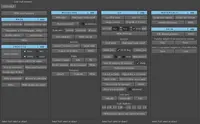
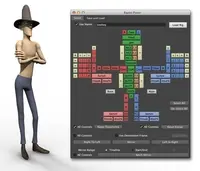
The Rigging Toolbox is a set of tools and full auto-rigger designed to aid in the process of rigging articulated characters for animation.

Q/A

v1.13 released

Date:09/27/2012
Submitted by:jbuck jbuck
Exporting animation to Unity game engine using the Unity Export tool in utilities was not working as designed. It now exports start and end times based on the timeline.

Note: To use the exporter, select the root of the skeleton hierarchy, then each skinned mesh.

Looking for feedback on this feature. What other animation export to Unity options would help your workflow? 
Replies to this question:

  • Kingnt66

    Kingnt66 said about 14 years ago:

    Hi! I just downloaded it and playing around with Maya 2013. I found the IK Leg w/Foot Roll under Auto-Rig features has some orientation problem. I follow all the procedure and add them in the correct order, but the Ankle joint always flip after I Auto Rig it. Can you look into it and release a fix ASAP, thanks!
  • jbuck

    jbuck said about 14 years ago:

    Glad you seem to have the problem worked out. Please let me know if this solution works for you or if you have any other problems. The "Create Joint" tool in RTB is quite literally the exact same tool as the Maya Joint Tool if the default options are set in the Maya Joint tool. You might create a few joints from each and check the orientation of the joints -- they should be the same.
  • Kingnt66

    Kingnt66 said about 14 years ago:

    It seems like the problem is fixed if I use the joint tools from the default Maya tool bar instead of the "Create Joint" button from the Rigging ToolBox. Not sure if that's the source of the problem, but I don't have any more orientation problem after I switch.
  • jbuck

    jbuck said about 14 years ago:

    I certainly can. First, are you setting any joint orientation or do you require your ankle joint and the foot control to be oriented to the world? Can't tell from the screenshot. If you don't require your leg joints to be oriented to the world try orienting them first. You can use the Maya Orient Joint tool to do this. Let me know if this helps at all. I'd like to take a look at the example you provided. Can you mail it to me? josh@cgartistry.com

Post a reply:

Sign in