Layer Manager
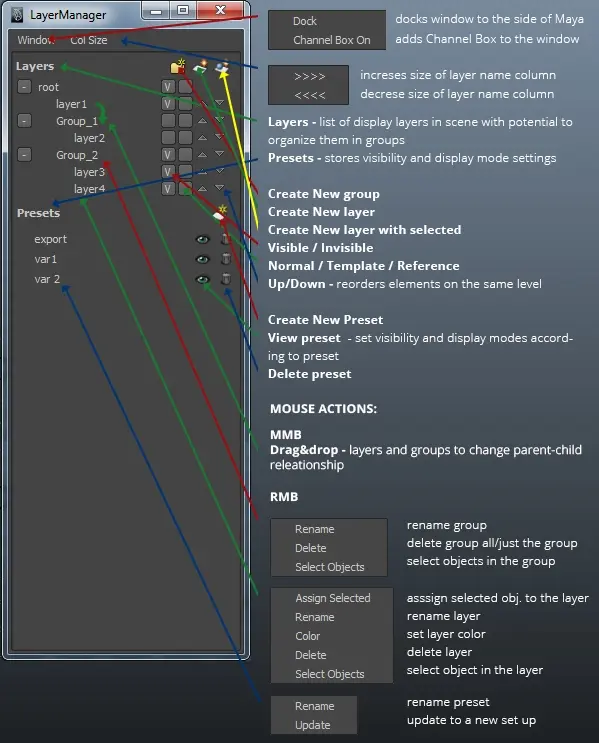
Using this script you can manage layers in the similar manner as in the Photoshop (groups) and create presets (one click solution to get to specificly set visibility and display mode for all layers).
To run the script, copy script to your script folder (documents/Maya/[Version]/scripts/) and run in python script these commands:
import pyLayerManager
pyLayerManager.startLayerManager()
Script is tested on Maya 2013, but should work on any Maya with PyMel module.
IMPORTANT NOTE
Script creates a set of empty groups in scene, these groups are used to store the layer structure, so DO NOT delete HS_rootLayerManager group and its children, otherwise the set structure would disappear.
Please use the Bug System to report any bugs.
Please use the Feature Requests to give me ideas.
Please use the Support Forum if you have any questions or problems.
Please rate and review in the Review section.
Please use the Feature Requests to give me ideas.
Please use the Support Forum if you have any questions or problems.
Please rate and review in the Review section.