
smartPlaySteps.mel
Firas Ershead, March,2011
www.firas3d.com
www.infofillers.tv
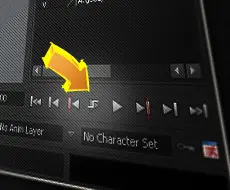
Play steps mode without changing animation curves, by adding new "play" button.
Install :
copy script to scripts folder.
copy smartPlaySteps.png to icons folder
type on mel editor:
source "smartPlaySteps.mel";
smartPlaySteps;
Usage :
A new shelf button will appear. Select an animated object (may be character controller) Press the new play button.
Firas J.Ershead.
Please use the Bug System to report any bugs.
Please use the Feature Requests to give me ideas.
Please use the Support Forum if you have any questions or problems.
Please rate and review in the Review section.