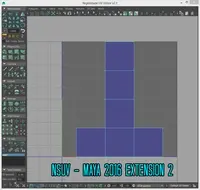
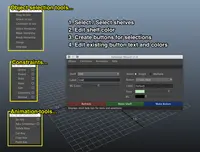
Set Imageplane / Toggle ImagePlane 1.0.2 for Maya (maya script)

sets imageplane for your 3d model or toggles it on/off by pressing CTRL button

Back to Bugs List Previous Next

Bugs

Error appears after choose images, and hitting "Done" Button.

Statusclosed
Prioritylow
Date10/18/2013
Submitted by Fire Dem0n Fire Dem0n
I seem to get an error when I hit the "Done" button. Here is what the error says.

# Error: ValueError: invalid literal for int() with base 10: '2013 x64' #

I don't know what is causing it, and due to this I can't create the Imageplanes.

Any help would be creatly appreciated.

Thanks
Comments on this bug:

  • san

    san said about 13 years ago:

    Can you also paste the line number , what you pasted it would be just oone line above..
    Report
  • Fire Dem0n

    Fire Dem0n said about 13 years ago:

    Here is all I can find. {'frontShape': 'C:/Users/___/Documents/maya/projects/___/sourceimages/Ship Building/Maya Images/Ship_Front_Profile.png', 'topShape': 'C:/Users/___/Documents/maya/projects/___/sourceimages/Ship Building/Maya Images/HMS_Victory_Top_View.png', 'sideShape': 'C:/Users/___/Documents/maya/projects/___/sourceimages/Ship Building/Maya Images/HMS_Victory_Side_View.png', 'backShape': 'C:/Users/___/Documents/maya/projects/___/sourceimages/Ship Building/Maya Images/Ship_Back_Profile.png'} # Error: ValueError: invalid literal for int() with base 10: '2013 x64' # Thats all it seems to be showing me. I am using Maya 2013 by the way.
    Report
  • san

    san said about 13 years ago:

    Got it why.. you have space in the folder name /Ship Building/ which is why you are gutting that error, You are not suppose to use folder or file names with space in them, using underscore instead of space is better option.
    Report
  • Fire Dem0n

    Fire Dem0n said about 13 years ago:

    Doing what you suggested changes nothing. I still get the same error and it still does not work and create the image reference planes with the images attached. Any other ideas?
    Report
  • san

    san said about 13 years ago:

    zip and send me your project, and I will try to set the image plane using this tool. and see what is causing the error.
    Report
  • Fire Dem0n

    Fire Dem0n said about 13 years ago:

    Well, I decided to go ahead and create them manually. So I won't be using the script. Thanks for the offer anyways though. I just wasted too much time trying to get this to work on figure it out.
    Report
  • san

    san said about 13 years ago:

    its your choice but since I am not developing tools for maya for a long time now, I dont get time to open maya at all. I will release a new version. with docString so you can also understand the code.
    Report

Post a comment:

Sign in