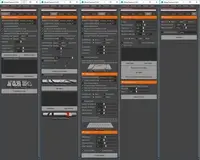
Ninja UV 7.0.0 for Maya (maya script)

A complete set of UV mapping and UV editing tools.

Q/A

INSTALLATION??? HOW???

Date:02/22/2015
Submitted by:tonyd927 tonyd927
I followed the steps exactly and it keeps saying "syntax error" I dont understand why it just doesnt work.
Great waste of $40 IMO. 

Replies to this question:

  • Brian Keffer

    Brian Keffer said over 11 years ago:

    are you using the lines below? Where it says scriptlocation you need to put in the path where you put the script. source "/ScriptLocation/Ninja_UV.mel";Ninja_UV(); also make sure you are running this in a mel tab and not a python tab Brian
  • tonyd927

    tonyd927 said over 11 years ago:

    Also, thanks for this plugin. It works wonders on my PC, Im sure this will speed my workflow a bit, thank you!!
  • tonyd927

    tonyd927 said over 11 years ago:

    Thanks! Does this apply for a mac os as well?
  • Brian Keffer

    Brian Keffer said over 11 years ago:

    [quote=tonyd927]Yep, I even put the file on my desktop and had the path going that direction. source "C:\Users\Tony\Desktop\Ninja_UV.mel";Ninja_UV(); Using MEL.[/quote] you have have backslashes not front slashes / use front slashes in your path. Use the lines below source "C:/Users/Tony/Desktop/Ninja_UV.mel";Ninja_UV();
  • Brian Keffer

    Brian Keffer said over 11 years ago:

    you have have backslashes not front slashes / use front slashes in your path
  • tonyd927

    tonyd927 said over 11 years ago:

    Yep, I even put the file on my desktop and had the path going that direction. source "C:\Users\Tony\Desktop\Ninja_UV.mel";Ninja_UV(); Using MEL.
  • nick.sb1

    nick.sb1 said over 11 years ago:

    I found a way to make it work install ninja dojo http://www.creativecrash.com/maya/script/ninja-dojo-white-belt (free) Windows Install: 1. A. Unzip the file to your Root Drive. Most likely C:. B. AND DRAG THE Ninja_UV.mel SCRIPT IN TO NINJA DODO FILE 2. Copy this line into your script Editor: source "C:/Ninja_Dojo/Ninja_Dojo.mel"; Ninja_Dojo("C:/Ninja_Dojo/"); 3. Drag and Drop the line onto a Shelf to create a button (MIDDLE MOUSE BUTTUM TO DRAG). Or Mac Install: 1. A. Unzip the file to your Root Drive. Most likely MacHD:. B. AND DRAG THE Ninja_UV.mel SCRIPT IN TO NINJA DODO FILE 2. Copy this line into your script Editor: source "/Ninja_Dojo/Ninja_Dojo.mel"; Ninja_Dojo("/Ninja_Dojo/"); 3. Drag and Drop the line onto a Shelf to create a button (MIDDLE MOUSE BUTTUM TO DRAG).

Post a reply:

Sign in