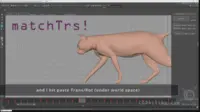
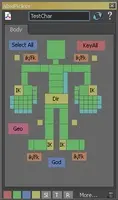
Local Tools 1.0.0 for Maya (maya script)

rotate around edges, move along them, etc...

per page
21-30 of 33

Reviews Love it? Or maybe you want to share some creative ways you're putting this item to use.

  • Tomas M.

    Tomas M. said almost 16 years ago:

    The problem is that Maya 2011 x64 (in my case) does not initialize userSetup.mel when it is located in "\documents\maya\\prefs\" (since maya does not include this location to its MAYA_SCRIPT_PATH). The solution is simple: just move your userSetup.mel to "\documents\maya\\prefs\scripts\" directory or add "\documents\maya\\prefs\" to your MAYA_SCRIPT_PATH
    Report
  • Trevor Crandall

    Trevor Crandall said over 15 years ago:

    I'm not having any luck with this either. Did what Tomas above suggested, creating a userSetop.mel with source HKLocalTools; Both HK mels scripts are in there too.... Maya 2011 on Windows 7 64bit. Maybe I'm not adding the right text to my userSetup file? ANy help would be much appreciated.....
    Report
  • kai p

    kai p said over 15 years ago:

    I am having the same problem as Arkadius was having. I have sourced the script in the usersetup.mel but I am still getting the error message whenever I try to access the local tools or it's menu box from the modify>Local Tools: // Error: "$PivotSettings" is not an array. Any idea what I may have done wrong? Thank you so much!
    Report
  • sil_musashi

    sil_musashi said over 15 years ago:

    Anyone knows how this tool works? I executed the script but there is nothing appear on the screen. I need helps please :<
    Report
  • karaslee

    karaslee said over 15 years ago:

    I've got the same problem, executed the script but nothing, i'm running maya2011 64bit on win7 64bit! help please!!
    Report
  • Almakos

    Almakos said over 15 years ago:

    I've got it to work under maya 2012 x64 on vista HKLocalTools.mel placed in C:\Users\myUserName\Documents\maya\2012-x64\prefs\scripts then executed command HKLocalTools; after execution of script check Modify->Transformation Tools->Local Tools and everything works just fine (except that you should rerun command every time maya restarts) I am not using ModObjectsMenu.mel at all hope this helps you guys
    Report
  • marc thur

    marc thur said over 15 years ago:

    Same here, nothing happens. 2011. Tried all the suggestions posted here.
    Report
  • tarjep

    tarjep said about 15 years ago:

    I found a solution I'm on Maya 2012 Win7 x64 You have to go to C:\Users\\Documents\maya\2012-x64\prefs\scripts and open (or make) a text file called userSetup.mel open it and paste in these two lines: source HKLocalTools; source ModObjectsMenu; Then add the HKLocalTools.mel file and the ModObjectsMenu.mel to the same directory as above. (ModObjectsMenu.mel can be found in MenuItem\2009 folder from the file you downloaded.) Restart Maya and your good to go. The tool can be found in Modify -> Transformation Tools -> Local Tools.
    Report
  • Valerie Morrison

    Valerie Morrison said almost 15 years ago:

    Does anyone have the HKLocalTools.zip file available? What about the local tools video, which demos the features? I'm using my best skills to find either and having no luck :( Thanks, Valerie
    Report
  • Bert Mac

    Bert Mac said over 14 years ago:

    @ Valerie eeh you can just download them here !! and about the video's I still have them so send me a pm if your still interested Cya
    Report

Post a review:

Rate this item:
Sign in