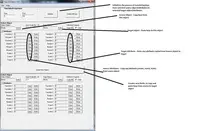
Kyle's Editable Context Marking Menus 2.0.0 for Maya (maya script)

No Shift Key, Editable RMB Context Marking Menus

per page
1-2 of 2 Previous Next

Reviews Love it? Or maybe you want to share some creative ways you're putting this item to use.

  • bruceoutdoors

    bruceoutdoors said over 14 years ago:

    How to add compatibility to maya 2012: copy and replace menuEditorWnd.mel from: D:\Program Files\Autodesk\Maya2012\scripts\others to C:\Users\user\Documents\maya\2012-x64\scripts and modify // Save the menu as a script. // saveMenu $theMenu $fileName; // Call rehash, so the new file will be found and sourced successfully // rehash; to // Save the menu as a script. // saveMenu $theMenu $fileName; // Call rehash, so the new file will be found and sourced successfully // // Updates the Marking Context Marking Menu klh_mmTools_updater $annotation; rehash; after you make modifications to the marking menu, you need to save settings and restart maya for changes to take place.
    Report
  • Richard Lovett

    Richard Lovett said over 14 years ago:

    I absolutely love you...... I am disabled and have maya setup so i can use it quickly. Since 2008 I've not been able to update my marking menus and have been trying to find how to get this functioning again. I would like to thankyou so much........... Richard
    Report

Post a review:

Rate this item:
Sign in