QTown 2.1.0 for Maya (maya script)

Build a fractal city based on selected polygons

Bugs

Presets not working on Mac Mountain Lion

Statusclosed
Prioritymedium
Date12/14/2012
Submitted by i clemens i clemens
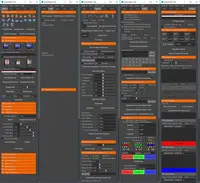
I put the files in /Users/username/Library/Preferences/Autodesk/Maya/scripts and many other folders as well. It just doesn't work. I really like the program. I just can't get the presets working. Can you help?

Comments on this bug:

  • i clemens

    i clemens said almost 14 years ago:

    You file location in the screenshot seems to be right. This should work. But if you said that you tried different file locations, can you confirm that you deleted the files from all the other folders you were talking about? This might be the problem here. If the script still resides in a different location it might override the other script path. You can quickly check this while you have the QTown script open in maya: In the command line at the bottom of the maya window (or alternatively the script editor) type "icQTpresetFileLocation" (without the quotes). Look at the path it returns for you. Is the path found the same path you are putting your script files in? As an alternative you can try to delete you maya preferences and start with fresh ones. Then copy the files to the location that is shown in your screenshot. Let me know how it goes.
    Report
  • Albert DiTomaso

    Albert DiTomaso said almost 14 years ago:

    it worked. thanks
    Report

Post a comment:

Sign in