
Control curve creator UI 0.2.6 for Maya (maya script)
easily create/save/load curves and adjust them
Bugs
Save controller in 2017
| Status | pending |
|---|---|
| Priority | medium |
| Date | 02/02/2017 |
| Submitted by |
 Mikael Persson |
| Modify this bug | edit |
Hello and thank you for this excellent script!
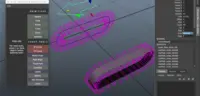
I'm having a problem with saving custom controllers. When I try I get the little window where I can frame the curve but when I hit Save and close I can't exit this window and I've lost access to the rest of Maya. Although it seems to still be running. I get this error message in the output (though I can't tell if it's related):
# Warning: Panel size cannot accommodate all requested Heads Up Display elements.
If I can provide anything else, please let me know.


Comments on this bug:
daniel.pedron said over 7 years ago:
I am having the same problem, I would like to save some curves but when I click save from an error sorry the english typed by google translate
# Traceback (most recent call last):
# File "C:/Users/USUARIO/Documents/maya/2018/scripts\curveRecreator.py", line 274, in __saveAndClose
# self.createSnapshot()
# File "C:/Users/USUARIO/Documents/maya/2018/scripts\curveRecreator.py", line 269, in createSnapshot
# shutil.move(f, filename+'.png')
# File "C:\Program Files\Autodesk\Maya2018\bin\python27.zip\shutil.py", line 302, in move
# File "C:\Program Files\Autodesk\Maya2018\bin\python27.zip\shutil.py", line 130, in copy2
# File "C:\Program Files\Autodesk\Maya2018\bin\python27.zip\shutil.py", line 83, in copyfile
# IOError: [Errno 2] No such file or directory: u'C:/Users/USUARIO/Documents/maya/2018/scriptsCurves/cc_ctrl.png'