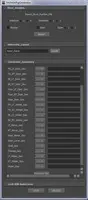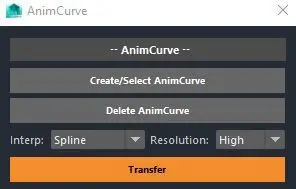
This light script generates a AnimCurve node and translates it's (optmized) curve data into a remapValue node! Make a pretty curve in the graph editor, translate it into as many remapValue nodes as you'd like! Sounds like a party to me!
Description-This script takes a nice curve from the graph editor and transfersan optimized version of it to any selected remapValue Nodes.For instructions please click on the title header button.
Installation-Step 1: Script Editor>File>Load Script. Load the AnimCurve.pyStep 2: Middle click drag to your shelf
Instructions-Step 1: Click "Create/Select AnimCurve" button (creates a AnimCurve node)
Step 2: With your graph editor open, make sure the AnimCurve node that was generated is selected (for easy selection just reclick "create/Select AnimCurve button")
Step 3: In the graph editor, move the curve around to get the desired curve you want to translate to the remapValue node.
Step 4: Select one or many remapValue nodes and click "Transfer". This will map the graph editor curve to the selected remapValue nodes.
Step 5: Give yourself a pat on the back. You now have bezier curve capabilities with any remapValue Node (sorta-kinda). :D
Please use the Bug System to report any bugs.
Please use the Feature Requests to give me ideas.
Please use the Support Forum if you have any questions or problems.
Please rate and review in the Review section.
Please use the Feature Requests to give me ideas.
Please use the Support Forum if you have any questions or problems.
Please rate and review in the Review section.