Ninja UV 7.0.0 for Maya (maya script)

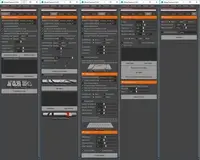
A complete set of UV mapping and UV editing tools.

Q/A

problem installed it

Date:07/16/2013
Submitted by:somok phattavong somok phattavong
I still have trouble how to install  Ninja_UV. When I copy and paste in script folder, but the menue not show up.  Please help.
I need the instruction how to install it.
Replies to this question:

  • Brian Keffer

    Brian Keffer said over 13 years ago:

    what exactly are you not seeing? what version of maya are you using and what OS are you using. Are you getting any error messages in the script window. Also can you send a screen shot of your mel window with what you are using to run Ninja_UV
  • Brian Keffer

    Brian Keffer said over 13 years ago:

    in a mel window type the line below.. make sure to put the whole path to where you saved the mel file where it says scriptlocation source "/ScriptLocation/Ninja_UV.mel"; Ninja_UV();
  • somok phattavong

    somok phattavong said over 13 years ago:

    After installed Ninja UV, but I still don't get UI menu. Please help.
  • dhardy

    dhardy said about 12 years ago:

    I can't get Ninja to work. I running Maya 2013 / Mac OSX. I'm not the most Maya savvy when it comes to this stuff, but I have loaded a few scripts that have worked for me with no problem. What am I missing here?
  • dhardy

    dhardy said about 12 years ago:

    Thanks!!! Got it loaded.
  • Brian Keffer

    Brian Keffer said about 12 years ago:

    open the script window and type and run this line source "/ScriptLocation/Ninja_UV.mel"; Ninja_UV(); change the scriptlocation to where the script lives. you can then create a button in a shelf with those lines.

Post a reply:

Sign in