

Creating Glass Shatter Effect using Maya nCloth

Creating Glass Shatter Effect using Maya nCloth - by Azhagu Raj Pandian
In this tutorial we will explore using Maya ncloth to create Glass Shattering Effect.
Step : 1 - Let’s start by creating a polygonal plane with the default setting

Step : 2 - Using the cut face tool cut the plane randomly,
Depending on the chunks you need…something like this
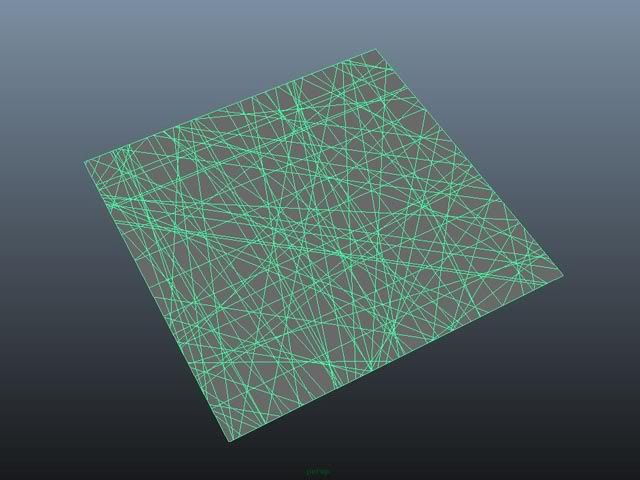
Step : 3 - Select the Plane , Polygon -->Mesh -->Triangulate

Next, select all the Edges & detach component, Edit Mesh -->Detach Component.
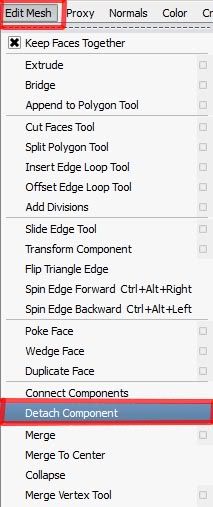
With this all the vertex / edges will be spiltted
Step : 4 - Select the Plane and make it a nCloth Mesh. Then,
nDynamics --> nMesh --> Create nCloth

by doing, nclothShape node and nucleus node will be created for the Plane.
In the nucleus node, set the gravity value to '0'.

Step 5 : - Extrude the plane by selecting all the face, to make it thicker like a glass material

Step :6 - Create a Sphere and make it a Passive Collider

Next Translate in Y : 1 and set a Key at frame 1

At frame 24 set key to Translate Y : -1
Now the sphere is animated in Y direction.
Before playing the animation ,select both the objects , create New ncache
Ncache --> create New ncache
That’s it…
Play the animation…use mental ray dielectric Material as a glass shader….

Final Output :

- Azhagu Raj Pandian
www.dreamsin3d.com
Comments
-
good...very good!
-
Very nice! Thanks a lot!
-
Sorry I messed up the rating thing. Clicked accidentally, didn't know how to change it. :(
-
Maya is running out of memory for a large number of poly faces.any solution?
-
Could you build a duplicate size plane and bake the low-res plane to save memory on the render? JP