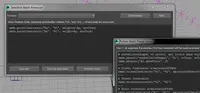
No Knowledge of Plug-ins is need. The "Installer file" is really a regular Maya file. Open it like any other Maya file. You need to unpack the zip or rar to your desktop. From Maya select File>Open Scene. The File browser should have a Desktop Icon, click it to see all the files on your desktop - including the xtools3.8 folder. The Maya file "xtools_installer.ma" should be in that folder. After that just follow the instructions.
If you have further problems at my web site, Contact me at me the e-mail address on my contact page of web page, http://www.andrews3dbrain.com/contact.html
{Note: This link now works - I never post my e-mail directly on Forums, and I don't communicate technical matters through a Myspace account. If you wish to reach me, then use the link above}
Thanks
Great script use it all the time.. just upgraded to 2009. any way to get a compatable 2009 version i tried to install this one in 2009 but i get this error when i try to open one of the option panels.
uberSplitEdge;
// Error: Cannot find procedure "edgeToolBoxWindow". //
uberSplitEdge;
any idea how to fix this.. the main tools seem to work, but i cant open the option boxes.
I think this problem may also be related to installing a new version on top of an old one? because ive gotten this error on other computers when upgrading from 8.5 to 2008 so maybe its not an issue with 2009 compatability as much as it is trying to upgrade the installation in general while there is an older version present
OceanSplash is a plug-in for Maya(3D Application). This plug-in creates awesome splashes for your animated objects with in seconds, which otherwise would require even for an expert to spend days in...