ReanimatedRigging - Biped Auto Rigging Script 1.0.0 for Maya (maya script)

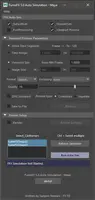
An auto rigging script for biped characters, optimized for game engine.

Back to Bugs List Previous Next

Bugs

not working

Statusclosed
Priorityhigh
Date05/13/2014
Submitted by dwayne fisher dwayne fisher
i followed the directions at the bottom and i wrote auto rigg in the command line and still nothing please help
Comments on this bug:

  • Ella Svahn

    Ella Svahn said over 12 years ago:

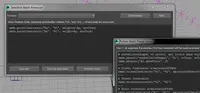
    There are different ways to execute a python script in Maya. * First, make sure your Maya version supports python (2011-2015 are tested and should work). * Make sure you save the file in the following folder (if you use Windows 7/8): C:\Users\yourUserName\Documents\maya\currentMayaVersion\scripts *Open Maya (or RESTART Maya). *Make sure to the left of your command line, it says Python - NOT MEL. In the command line write: import ReanimatedRigging *To reopen the window again, write: ReanimatedRigging.UI() If it still doesn't work, you can open the script editor and drag the python file, from your file browser, in to the script editor. The script should copy itself. From here you can press enter to execute the script. Hope this helps! /Ella
    Report
  • anil

    anil said almost 9 years ago:

    not working in maya 2018 properly. bones are streatching out..what to do
    Report

Post a comment:

Sign in