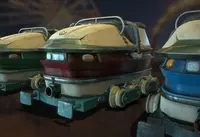
Awesome roller coaster 1.1.0 for Maya (maya script)

simple roller coaster setup

per page
1-9 of 9 Previous Next

Reviews Love it? Or maybe you want to share some creative ways you're putting this item to use.

  • DemonDeacon

    DemonDeacon said about 14 years ago:

    Works on the Mac too! :)
    Report
  • nicky liu

    nicky liu said about 14 years ago:

    Thank for your feedback ^.^ I've been using windows only but such simple mel should work on Mac too.
    Report
  • anand kambli

    anand kambli said almost 14 years ago:

    its very useful for motion path animation. great.
    Report
  • b me

    b me said almost 14 years ago:

    Dear Nicky Liu. I downloaded your awesome roller coaster and I must say that it is pretty awesome. Im having quite a good time playing with the tracks, but some how I cant attach the cart to them. I followed your video many times but “Please check the plug closest point on curve” always comes out. What am I doing wrong? Is Maya 2010 not good for it?
    Report
  • b me

    b me said almost 14 years ago:

    OOOoooouu!! Well! that explaieas lot! thak you very much. Now its time to have fun!
    Report
  • jth5419

    jth5419 said about 13 years ago:

    Please give me a plug-in "closestPointOnCurve" ㅠ.ㅜ
    Report
  • jth5419

    jth5419 said almost 13 years ago:

    Thank u for reply~^0^ But, dosen`t play. please help me.
    Report
  • xin ho

    xin ho said about 11 years ago:

    hi dear! I download the bonus tools ,and click"closestPointOnCurve" but the cart still do not move . how to attach the cart to the track ,did I ignore any details? thanks I appreciate
    Report
  • nicky liu

    nicky liu said about 11 years ago:

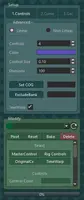
    Sorry that I can't see the problem you're having. To attach the cart to the track, select Cart control & Track control, press button "Attach Cart To Track". I've just tried maya 2016 and it works as expected.
    Report

Post a review:

Rate this item:
Sign in