This kind of .ascii text files look like this:
1.0 : +470.67, +341.00
2.0 : +470.16, +339.89
3.0 .....
where "1.0" is the frame number, "+470.67" the x track position and "+341" the y track position.
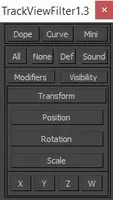
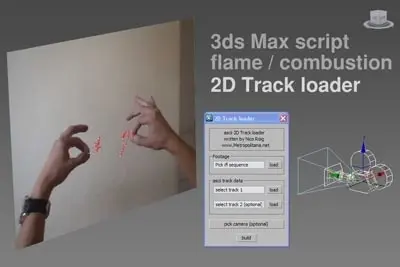
Run this script. A floater window will appear.
Select an .ifl sequence of your tracked footage. (you can create it with Rendering/RAM player tool)
Select an .ascii text file exported from Flame or Combustion.
You can select an additional track (each track has its own .ascii file)
You can select a camera in the scene. (*Must be a FREE camera, Target cameras are not valid)
Press "build"
A plane textured with your tracked footage and 2 trackpoints will be created and aligned to your camera.
2 additional trackpoints labeled "zdepth" will be created. Those can be moved or animated towards/away the
camera through their local X axis keeping a valid 2D Track.
Tested on Max 2010 and 2011 versions.
please send your comments to nico at metropolitana.net
Please use the Bug System to report any bugs.
Please use the Feature Requests to give me ideas.
Please use the Support Forum if you have any questions or problems.
Please rate and review in the Review section.
Please use the Feature Requests to give me ideas.
Please use the Support Forum if you have any questions or problems.
Please rate and review in the Review section.