

H3D Tutorials
Tutorials Categories
- Basics (3)
- Color (2)
- Development / API (1)
- Dynamics / FX (2)
- General (1)
- keying (2)
- Materials (1)
- Modeling (1)
- Modeling / Zspheres (4)
- Painting / Roto (1)
- Project Walkthroughs (1)
- Rendering / Lighting (1)
- Textures / Painting (2)
- Texturing (1)

Maya 4.0 API Quick Programming Tutorial
by Rafael Baptista Introduction Perhaps you have just been asked to write a data exporter for Maya. Odds are you are not working for one of those huge long term game projects that can afford to have several people dedicated 100% to writing export tools, but rather you have a few days to put toget...
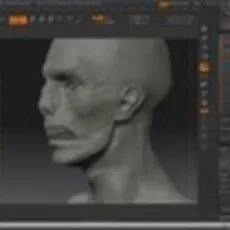
Quick Sculpting a Zombie Face
Here is a 25 minute sculpt of a zombie head using the Demo Head as a base. This tutorial includes using the following tools: ClayTubes Masks SubTools Here is a character sheet of the head:
Painting Skin Video Demo
Hello Everyone, Feels like I havent posted in ages so I decided to put this up here. I recorded this in my Z3 class at Gnomon using my old Stingerhead model as a demo. I got a lot of questions about how I hand paint some skins so hopefully this will give you some idea. If there is a good response...
Maya and Mudbox Workflow
This video tutorial runs you through the workflow of Maya and Mudbox.
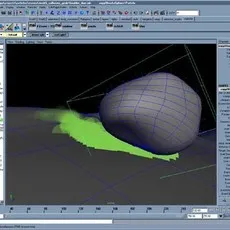
Particle Emission when objects collide
A commonly needed effect is the emission of particles at the exact location of object collision. For example, as a sword scrapes along a wall we may need sparks; As a boulder rolls down a mountainside we may need smaller instanced rocks and pebbles to appear; As a character walks along a dirtroad...
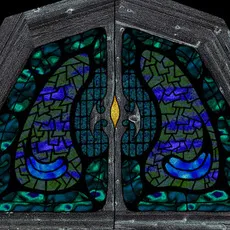
Texturing Resolution Tips
A common question when new to texture mapping, is what resolution should textures be? This is assuming that you are going to be making your own in a 2D package, such as Photoshop, either from scratch or from a scan. Well, the first thing to do is ignore dpi settings. All you care about is the pix...
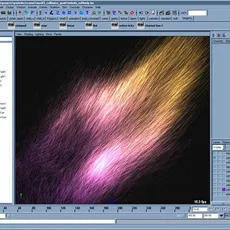
Using particle Speed
There are situations where a phenomenon's velocity or speed is related to it's behavior or appearance. Perhaps the incandecence increases as a particle moves faster... or the color changes from blue to red. Perhaps some dust is resting on an object, but once it gets blown away it also begins to d...
Understanding Continuity
Continuity applies to both curves and surfaces. It simply refers to how two curves meet at a point, or how surfaces meet at an edge. When using a patch-modeling approach, where a character, vehicle or whatever are modeled from a series of patches, like a quilt, one wants to avoid visible seams be...

Spotlight Fog
Here's a common problem... you add fog to a spotlight, render an image and... no fog. The problem is simple and is inherit to how Maya calculates lightfog. Above we see a simple scene with a single spotlight. No fog added yet. The thing to notice is how once fog has been added to the light, a new...
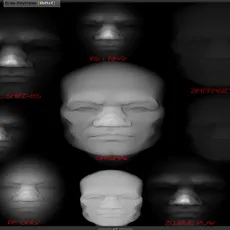
Fog and GDI
Some of you know about Fog and use it to blend your scenes and help with depth effects. Few of you will know about the GDI and GSI slots in the lighting menu. Both can be used to greatly enhance lighting effects and can be used for more dramatic effects. The possibilities are endless. I decided t...
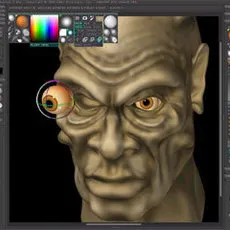
Modeling a head in zbrush
NTRODUCTION TO ZBRUSH To me, Pixologics Zbrush lives in a world somewhere between 2D and 3D never really knowing which camp to lie in. With it I can create 3D meshes that can be textured and have native materials added to them. Zbrush uses a technology called `Pixols` that sees each pixel as a 3D...
Fiber Brush Settings
FIBER BRUSH SETTINGS 1. Get yourself a model that needs some hair. Render him out using BEST RENDER in the RENDER panel with whatever light/material/shadow settings you need for your scene. Once the scene is rendered go to the LAYERS panel and hit the BAKE button. Now go over to the TOOL panel an...
Building a character with polyspheres
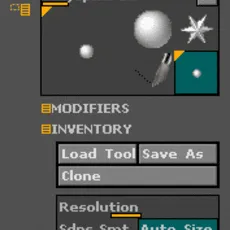
BUILDING A CHARACTER WITH POLYSPHERES 1. POLYSPHERES This image was created in the latest version of ZBrush and uses the all new Polymesh feature. As with most of the newer features in ZBrush Pixologic provide you with an extensive set of ZScripts to help you understand the basics. Polyspheres is...
RotoShape: Technique to hide keyframes for a specific shape
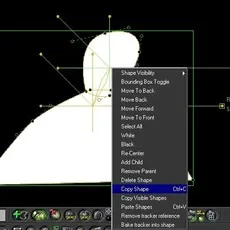
We all know Shake rocks, but anyone who's used the RotoShape tool is left wondering why they have a keyframing toolset so basic, it cana ctually make you cry. This technique outlined below is used to hide a shapes keyframes within RotoShape, preferably after you're done keying it. It may be a bug...
How to build a beast horn using Maya and detail it in Zbrush
This Part 2. Part 1 is Modeling the Horn in MayaOpen Zbrush and under tools - import, bring your OBJ file horn_ZB.zip Now you should see the horn in your tools as an icon. Pick and place it in the drawing canvas. Now before you do anything else, immediately after you placed that OBJ in the ...
How to create a digital Picasso
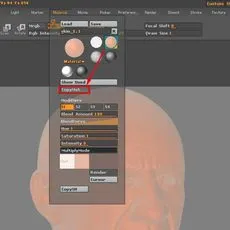
A while back I created a new model using ZBrush as part of an advertisement for Pixologic at Cinefex Magazine. My idea was to create a digital Picasso, having some fun while he was painting with ZBrush. As Picasso's likeness for a commercial piece is not allowed (because of the copyrights) I chan...
movie test
this is a description of the movie that you will watch to learn stuff
external url test
this is a test of an external url does it work well? i wonder if it does. it should!

using the eLin color model in floating point apps
Much of my writing on the benefits of working linear is tied to the eLin documentation. It occurred to me that it might be helpful to describe these advantages in more general terms, and to provide equivalences of the eLin color pipeline for two popular floating point compositing apps. First, let...

How to become a feature film compositor
Have you ever wanted to contribute to building a twenty thousand man army in �Troy�, make a mouse fly a plane in �Stuart Little 2�, or launch a doomed luxury liner in �Titanic?� You can achieve visual feats you never dreamed possible and accomplish them all through the magic of compositing....
using the eLin color model in floating point apps
Much of my writing on the benefits of working linear is tied to the eLin documentation. It occurred to me that it might be helpful to describe these advantages in more general terms, and to provide equivalences of the eLin color pipeline for two popular floating point compositing apps. First, let...