
H3D Tutorials
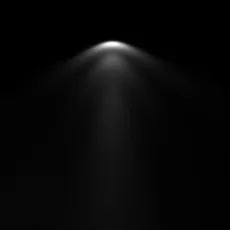
IES light profile in Maya
Hi Amigos, This tutorial is about IES profiles use in Mental Ray. Before getting into usage of IES profiles in Maya, we will try to know what is IES profile. &nb...
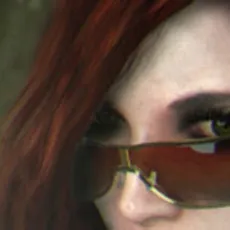
Natascha : Hybrid texturing for characters.
Hello there, my name is Raouf, I am a Technical Artist currently living in Clermont-Ferrand, France. In this "quick tutorial", I will try to explain how I created "Natascha" and break it down into multiple creation steps. I will be focusing mainly on the shading and texturing part in which I used...
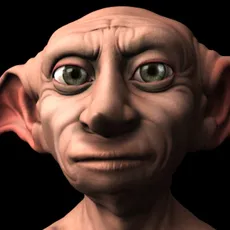
Character lighting using fake image based lighting (fakeibl) script
Download the 'fakeibl' script from here.Open the scene the run the script. A dome (nurb sphere) will be created.The first step is to select an image as the environment map. The color of the lights on the dome will be changed regarding to the selected image.If your scene is far from the origin, se...
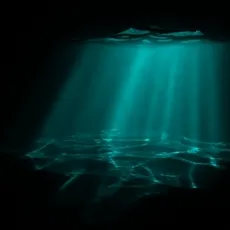
Underwater lighting - parti_volume
In this tutorial we will be exploring the use of the Mental Ray node "parti_volume". in the past this has been somewhat troublesome for new and experienced users alike. however with this tutorial i aim to explain how to set it up in a way that will enable you to go ahead and put it to your own us...

Studio Lighting in Autodesk Maya 2009
Full video tutorial and resource file available here:Studio Lighting in Autodesk Maya 2009
Final Gather
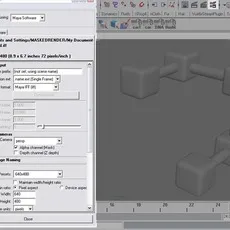
This tutorial will get you up to speed in setting up a simple Final Gather scene.Set-upThese are some tips on using Mental Ray.- make sure your models are UV mapped before you render. Even if it's just a quick automatic mapping, this can prevent some errors.- keep your geometry quad or tri.- avoi...
Mental Ray Approximation Editor
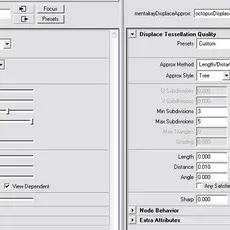
We begin with a model of an octopus type creature. You can download the source files here, Octopus.rar . The scene file already has the displacement nodes assigned to the geometry. There are two separate pieces to the model, the nautilus shell and the octopus's body. It has 8,382 total trian...
Setting up Mental ray
Here is some tips for setting up mental ray standalone for maya users successfully. 1- After installing and licensing mental ray standalone, Start SPM service. (type: services.msc in command prompt, find SPM and start it). 2- Do not forget to set SPM_HOST in environment variables. -Let's suppose ...
How the image Male Green Frog was made in Maya
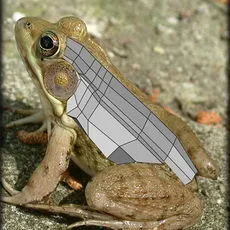
Hi, my name is Massimo Righi and I am freelance CG artist form Italy. You can see more of my portfolio on highend3d gallery:What I'm going to do, is trying to show you the main steps of how I've made my "Male Green Frog". I've used Maya 8 for modelling, MentalRay for rendering and Photoshop for t...
Create a gear and render it realisticly with Mental Ray
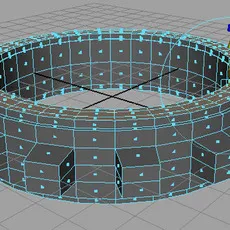
First, go to your modelling toolset, polygons>tool options> and make sure keep faces together is checked.Also you will be needing an HDRI map for this tutorial, please e-mail me at bartonix@gmail.com and state in the subject of the e-mail APT_PROBE.HDR so I know which hdri map you're needin...
How to model a screwdriver and render it with mental ray
This is a basic modelling tutorial that will teach you how to make a screw-driver and render it with FG (Final Gather) With global illumination, HDRI (High dynamic ranged imagery) And DoF (Depth of field, optional).Let us begin shall we, open Maya, and go to the modelling section. Now create a po...