
Maya Tutorials
The scriptJob and the scriptNode
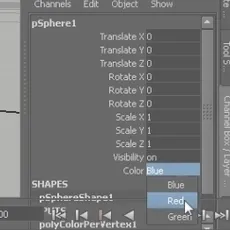
Hi there, Here is a tutorial to explain you how you can control advanced behavior in Maya when toggling an attribute, the technique can be used for several other purposes, it's basically the way to create inner callbacks in your Maya's scene.The tutorial has been originally wrote for 3dbun...
Color syntaxing the Script Editor Reporter
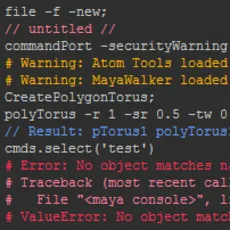
Hi there, As a script TD, rigger, or anybody who need to open the Maya's Script Editor, aren't you tired to scroll through tons of grey lines like these one below ? What about color syntaxing all this stuff ? Here is a tutorial to set a PyQt class in order to override the color synt...

How to use Attribute Collection 2.02 to build a custom UI
Attribute Collection lets you interactivly build and edit a custom user interface that can be saved with the scene.You can link attributes, group them in various layouts, add buttons and icons.Attribute Collection is part of the Bonus Tools for Maya and can be downloaded here.
Fix broken render setting window using simple mel command
Now and again one of the numerous Maya bugs stops you been able to view the render settings window. You can open it up but there is no information there, preventing you from changing any render settings. A quick way to fix this is to do the following – Open up the script editor Type in the follow...

Stress Create: Bend - Tutorial
This tutorial shows how to use the tool Bend of Stress Create Script (vers. 1.0).Bend Stress is useful for wave movements of articulations.You can choose to move a root joint, or a non-root joint (parent).How it shows, you can use “Stress Create” to test your character rigging, or can use it to c...

Maya Commands - Scripting Custom Windows with PyMel
This is going to be another podcast series geared more towards my students as supplemental material, but is information that I feel anyone can benefit from; especially those who are new to Maya scripting.This particular podcast shows some of the nifty flags you can use inside of Maya'...
MEL Scripting: How To Export/Write To A Text File
The original tutorial can be found here: http://www.scriptswell.net/2010/12/mel-scripting-tutorial-how-to-write-to.htmlIn this mel scripting tutorial we'll look at how to write data out to a file so you can make your own data exporting tools. By the end of it you'll have a firm understanding of a...
How to - Maya - add object to lattice tutorial
The following is a quick and easy tutorial that shows you how to add objects to a lattice in Maya. It is useful if you already have geometry with a lattice applied and need to add extra objects to the lattice. Also useful if you want to position geometry in a particular way in relation to the lat...
Remove namespace of imported objects using simple mel commands
Ever find it annoying when you're using Maya, you import some objects and it adds the name of the file you're importing to the name of every object? The names of the objects in your scene can very quickly get a bit unwieldy if you're working with lots of files. Use the following to clean things u...
MEL Scripting: How To Read A Text File
The original tutorial can be found here: http://www.scriptswell.net/2010/09/mel-tutorial-how-to-read-text-file.htmlKnowing how to read and write a file in MEL is one of the skills you need to have as a scripter. Maybe the file contains animation data you need to access, or skin weighting data, or...
MEL Scripting: Tokenize Command
The original tutorial can be found here: http://www.scriptswell.net/2010/03/mel-tutorial-tokenize.htmlThe tokenize MEL command is incredibly useful and very easy to use. You'll find once you know how it works and what it does, you'll end up using it in almost every script you write in one way or ...
Maya, Mel, QT and You - Interfacing with the QT Designer
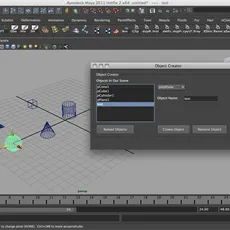
After a rather harrowing weekend I decided that I'd follow through on my promise of a Maya/Mel/QT tutorial, so here it is! So without further ado, here we go: So today we're going to go through how to make a basic qt interface. What we're going to be creating is an interface that will do 4 things...

Using QT Designer for MEL Interfaces
When for the first time I saw Maya 2011 and learned about QT I thought that it must be hard. Most of the time companies won't integrate other things in their programs sufficiantly. But, after a week of working with QT, I must say that god bless all those people in Autodesk.Developing an interface...

Saving and Opening Files Takes Forever - Optimize it!
It is an issues when i came up with we had lots of referances to a scene. We had a scene where we had nearly 15 characters were referanced. the size of the total (combined with the referances) were nearly 150 megabytes. But the time it took to save is was around 4 minutes! I first tought it was a...

Servo Tools For Maya Installation
Servo Tools For Maya: Installation from Dan Thompson on Vimeo.Duration: 15minsThis tutorial covers how to install all of the components required to run Servo Tools For Maya.To download the Servo Tools For Maya visit:http://www.creativecrash.com/maya/downloads/scripts-plugins/utility-external/expo...
Fast, Easy, Flexible Selection UI Method
User Interfaces has been around for decades. For a while we had been using text input UI’s. There was a huge following for the voice-activated UI’s. But the most prevalent and most used UI is the graphic UI. People have been reinventing it ever since it’s first conception. So much so that it has ...

change.mayaStartup image-*VIDEO*
in this tutorial ill will show you how to change the maya startup image to one from your collactionvery easy and fast to do :)this is the first video english tutorial that i upload to this site, you can find more of my tutorials in youtubes (in hebrew language)i will happy to upload more vi...
Conversational MEL Part 3
Conversational MEL Part 3 www.NimbleStudiosInc.com Topics Covered: Online MEL command reference; query and edit mode flags; UI layouts; sliders Sample Script: Basic turntable animation and UI Introduction In the past two articles we've covered a lot of MEL: commands, flags, variables, arrays, and...
Conversational MEL Part 1
Conversational MEL Part 1 www.NimbleStudiosInc.com info@NimbleStudiosInc.com Topics Covered: MEL commands, flags, and argument; Maya scripting UI; Sample Script: A window to hold common tasks This is the first of several tutorials on MEL. We�ll be starting from the very beginning with this articl...
Conversational MEL Part 2
Conversational MEL Part 2 www.NimbleStudiosInc.com info@NimbleStudiosInc.com Topics Covered: variables; arrays; assignment; return values; basic loop; Sample Script: Node name search and replace Introduction When we left off, we�d combined a pinch of cut-and-paste with a dash of basic UI to build...
The Unix Shell for vfx artists
Tutorial: The Unix Shell for VFX Arteeests If you're using a Unix based operating system such as Linux then you're going to need to know your way around a unix shell. The shell is where you manage your files, and run utilities and applications. As an artist you may think you don't need to know ab...
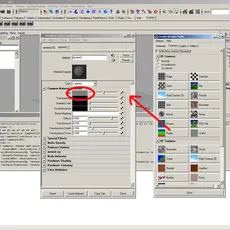
Random Rotation of Objects using MEL
This tutorial explains the rotation of multiple objects randomly each frame using Maya's powerful scripting language MEL. Each and every step is executed using MEL commands, to have a good understanding about Maya�s scripting language.Open the script editor in Maya. The top pane shows the history...
Writing a procedure that measures the distance in between two transforms
OutlineThis small procedure measures the distance in between two transforms. In this particular case two individual particles, but with the same workflow can be used for say for joints or locators. You could use the information this procedure provides to make your particles �do� something. Say yo...